Admin Module

Admin Color Schemes

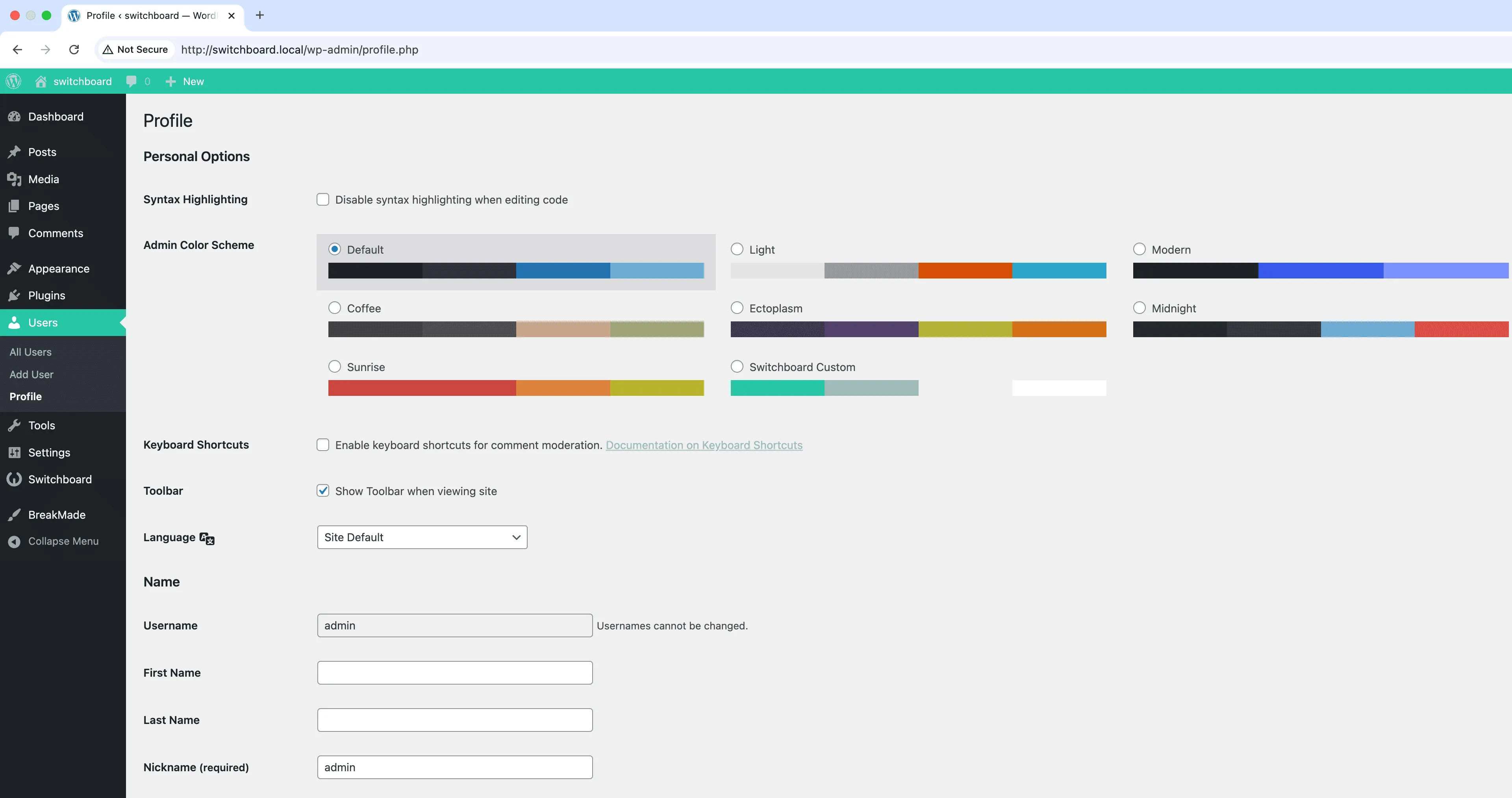
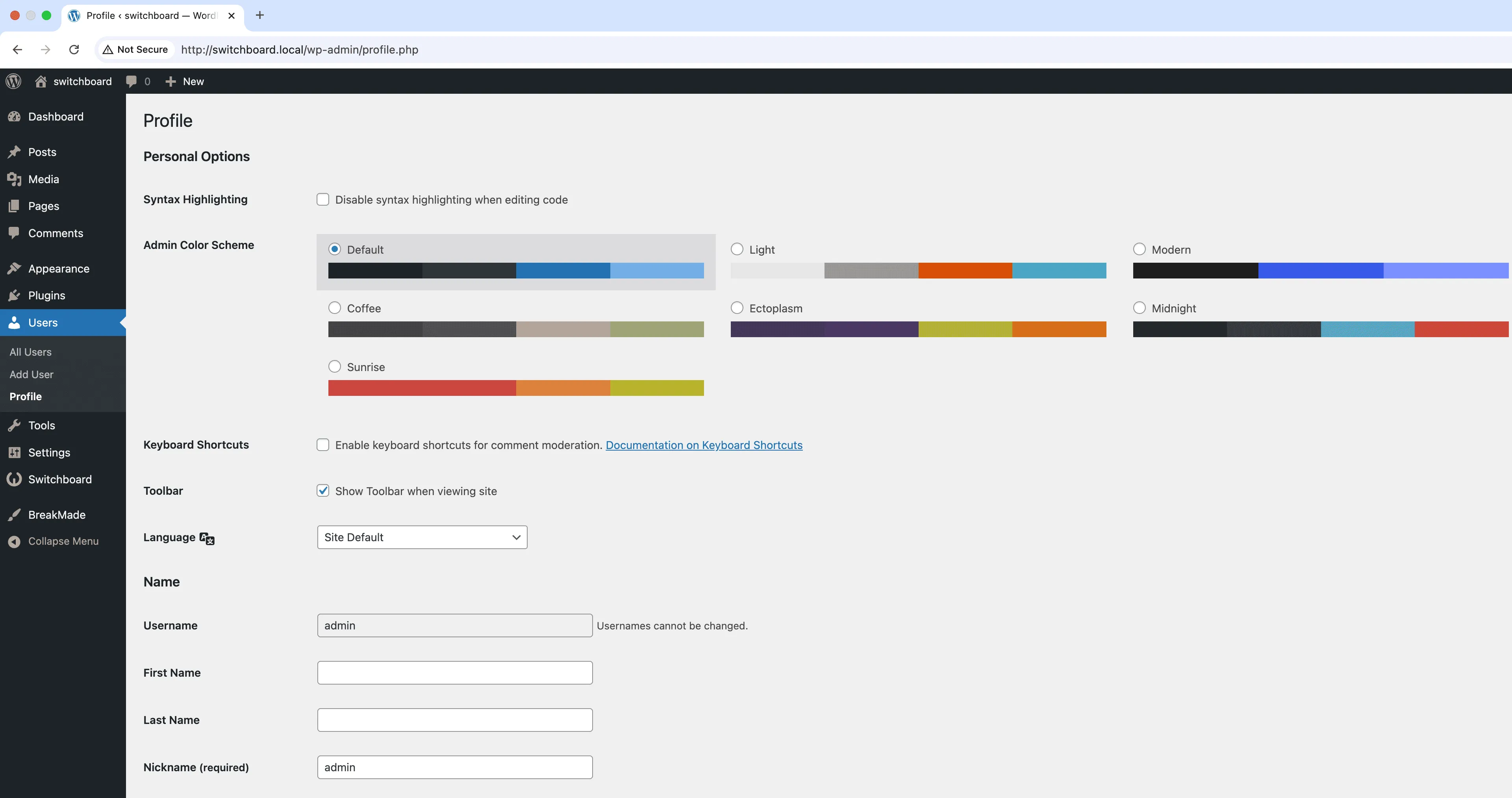
Admin Color Schemes lets you create custom color schemes for the WordPress admin dashboard by setting primary and secondary colors that apply throughout the interface. Your chosen colors automatically style the admin menu, buttons, links, form elements, and other interface components for a cohesive branded look. This is perfect for agencies delivering white-labeled WordPress sites to clients, organizations that need to match corporate brand guidelines, or developers who want visual distinction between staging and production environments. The color picker interface makes it easy to match exact brand colors using hex values. Color schemes apply immediately with no page refresh required.

Before
Before - Admin Color Schemes module
Enlarge
After
After - Admin Color Schemes module
Enlarge
admin colors themes customization ui

Admin Color Schemes Part of 165+ modules $349 $249

Get Lifetime Access

Key Features

Custom admin color scheme creation
Configurable primary and secondary colors
Automatic application to current user
Professional admin appearance

Why Use This Module?

  • Brand the WordPress admin to match client or corporate identity
  • Visually distinguish staging from production to prevent accidental changes
  • Create a more professional, custom feel for client dashboards
  • Match exact brand colors using hex values in the color picker
  • Changes apply instantly across the entire admin interface

Real-World Use Cases

White-Label Client Dashboards

Match the WordPress admin colors to each client's brand identity when building custom websites for multiple clients.

Team Role Identification

Assign different color schemes to different team departments (blue for developers, green for content, purple for design) to quickly identify who's working in admin.

Reduce Eye Strain

Create a custom dark purple or warm amber color scheme for editors who work late hours and find default blue too harsh.

How to Use

Set your preferred primary and secondary colors in the module settings. The color scheme will be automatically applied to your admin area.

Benefits & Impact

Time Savings

Automates manual tasks and streamlines your workflow

Performance Boost

Streamlines admin workflow and efficiency

Better UX

Provides a better user experience

Easy Maintenance

Simple setup with minimal ongoing maintenance

Frequently Asked Questions

Does this override the default WordPress color schemes?

The custom color scheme is added alongside default WordPress schemes. Users can still switch to built-in schemes from their profile, but your custom scheme becomes available as an option.

Will this affect the frontend of my site?

No, admin color schemes only affect the WordPress admin area. Your website frontend is completely unaffected by these color changes.

Can different users have different color schemes?

Each user can select their preferred color scheme in their profile settings. You can set a default for new users, but individuals can override it if desired.

What Users Are Saying

"We white label everything for clients. Custom colors make the admin feel like their own product, not WordPress."

— Marketing Agency

"Had to match our school colors for brand compliance. Took about 30 seconds to set up."

— University Website

"I use different colors for staging vs production. Saved me from editing the wrong site more than once."

— Freelance Developer

Related Modules

ADMIN

Display Active Plugins First

Show active plugins at the top of plugins list separated from inactive plugins for easier management and quick access to enabled plugins needing updates

plugins admin sorting +2
ADMIN

Admin Columns Manager

Manage, reorder, hide, and customize admin list table columns for all post types with drag-and-drop interface and custom fields support for developers

admin columns tables +2
ADMIN

Admin Logo Customizer

Upload custom logo for WordPress admin area to replace default WordPress branding throughout dashboard and create professional white-label client experience

admin logo branding +2
WPSwitchboard

165+ Modules.
One Plugin. Done.

Security, admin tools, performance, SEO, and more. All in one place.

Get Lifetime Access - $349 $249
Core Modules
165+
Admin Tools, Security, Optimization, and more
Enhance your WordPress admin experience
Admin Tools
Dashboard Enhancements
Customize admin interface
Security & Performance
Optimization Modules
Secure & optimize your site