
Optimization Module

Heartbeat Control

Heartbeat Control lets you manage the WordPress Heartbeat API that sends AJAX requests in the background while you work in the admin. By default Heartbeat runs every 15-60 seconds to check for auto-saves, show post locking, and update notifications. On busy sites or shared hosting, this can cause server load. The module lets you slow down the heartbeat interval, disable it on certain pages, or turn it off completely where not needed.

Settings
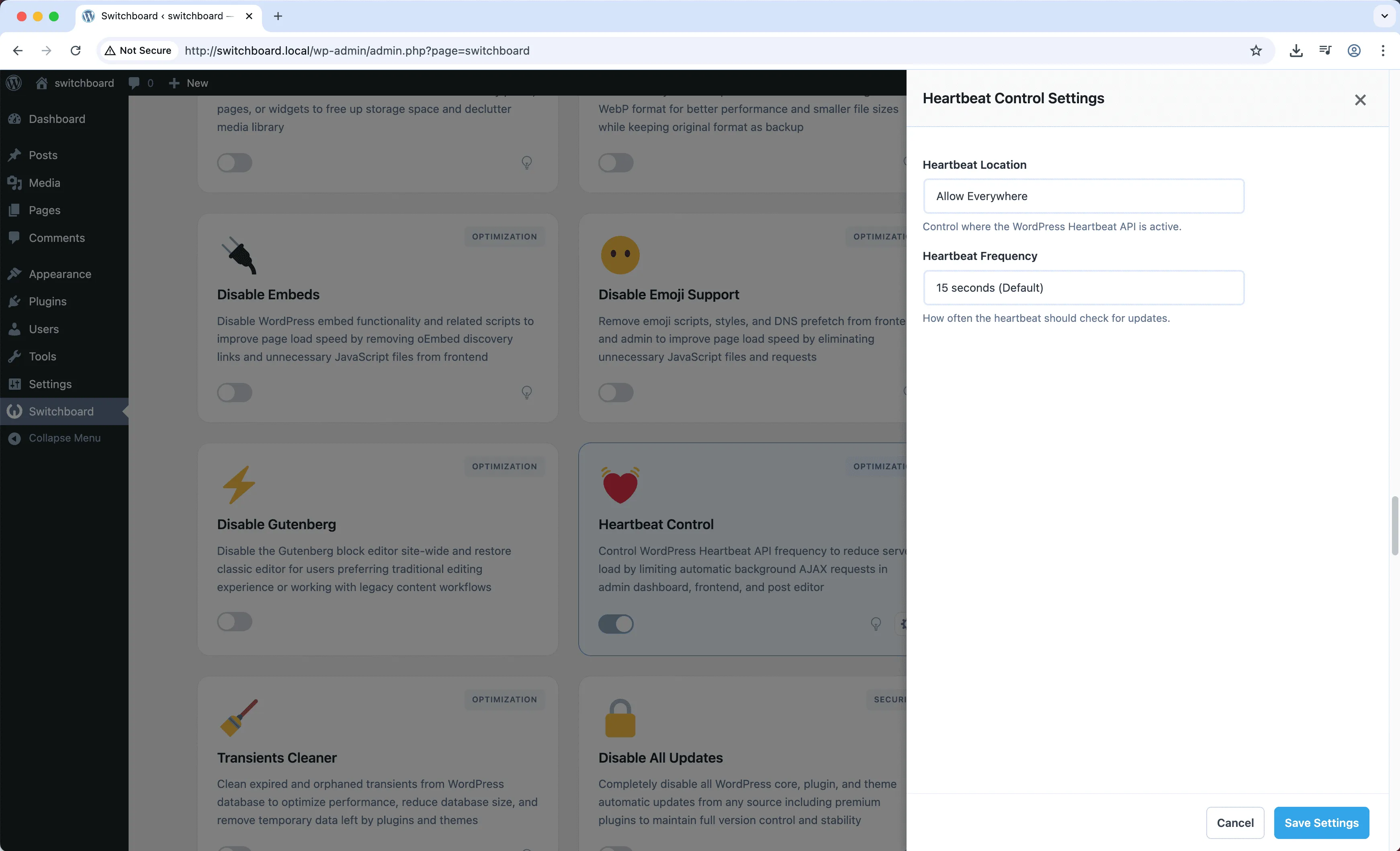
Settings - Heartbeat Control module
Enlarge
heartbeat performance optimization cpu ajax

Heartbeat Control Part of 165+ modules $349 $249

Get Lifetime Access

Key Features

Adjust heartbeat frequency
Disable on frontend or admin
Reduce server load

Why Use This Module?

  • Reduce server load from AJAX polling
  • Control heartbeat frequency
  • Disable on pages where not needed
  • Better performance on shared hosting
  • Fine-grained control over background requests

Real-World Use Cases

Reduce Server Load

Limit Heartbeat API frequency on shared hosting to prevent excessive AJAX requests from draining server resources during peak traffic.

Multi-User Sites

Optimize Heartbeat for sites with 20+ simultaneous editors to prevent admin slowdown from constant post locking checks.

Low-Resource Hosting

Disable or slow down Heartbeat on budget hosting plans where frequent AJAX calls impact site performance.

How to Use

Configure heartbeat settings for frontend, admin, and post editor separately in module settings.

Benefits & Impact

Time Savings

Automates manual tasks and streamlines your workflow

Performance Boost

Improves site speed and database performance

Better UX

Provides a better user experience

Easy Maintenance

Simple setup with minimal ongoing maintenance

Frequently Asked Questions

What uses the Heartbeat API?

Auto-save, post locking when multiple users edit, notification updates, and plugin features like live previews.

Will disabling break anything?

Auto-save and post locking rely on heartbeat. On single-user sites disabling may be fine. Multi-user sites should just slow it down.

What is a good interval?

60 seconds is reasonable for most sites. The default 15 seconds is often unnecessarily frequent.

What Users Are Saying

"Admin-ajax was hogging resources. Slowing heartbeat fixed the slowdown."

— Shared Hosting

"Multiplied by many simultaneous admin users, heartbeat was significant load. Worth controlling."

— High Traffic Site

"I do not need 15-second intervals. Set it to 120 seconds and server thanks me."

— Single User Blog

Related Modules

OPTIMIZATION

Database Optimizer

Optimize WordPress database by cleaning post revisions, spam comments, trashed items, and transients to improve database performance and reduce size

database optimization performance +2
OPTIMIZATION

Disable Dashicons (Frontend)

Disable Dashicons icon font on frontend for logged-out users to reduce HTTP requests and improve page load speed when admin bar is hidden

dashicons performance frontend +2
OPTIMIZATION

Disable Embeds

Disable WordPress oEmbed functionality and REST API endpoint to improve performance and prevent your content from being embedded on other sites

embeds oembed performance +2
WPSwitchboard

165+ Modules.
One Plugin. Done.

Security, admin tools, performance, SEO, and more. All in one place.

Get Lifetime Access - $349 $249
Core Modules
165+
Admin Tools, Security, Optimization, and more
Enhance your WordPress admin experience
Admin Tools
Dashboard Enhancements
Customize admin interface
Security & Performance
Optimization Modules
Secure & optimize your site