Optimization Module

Disable Gutenberg

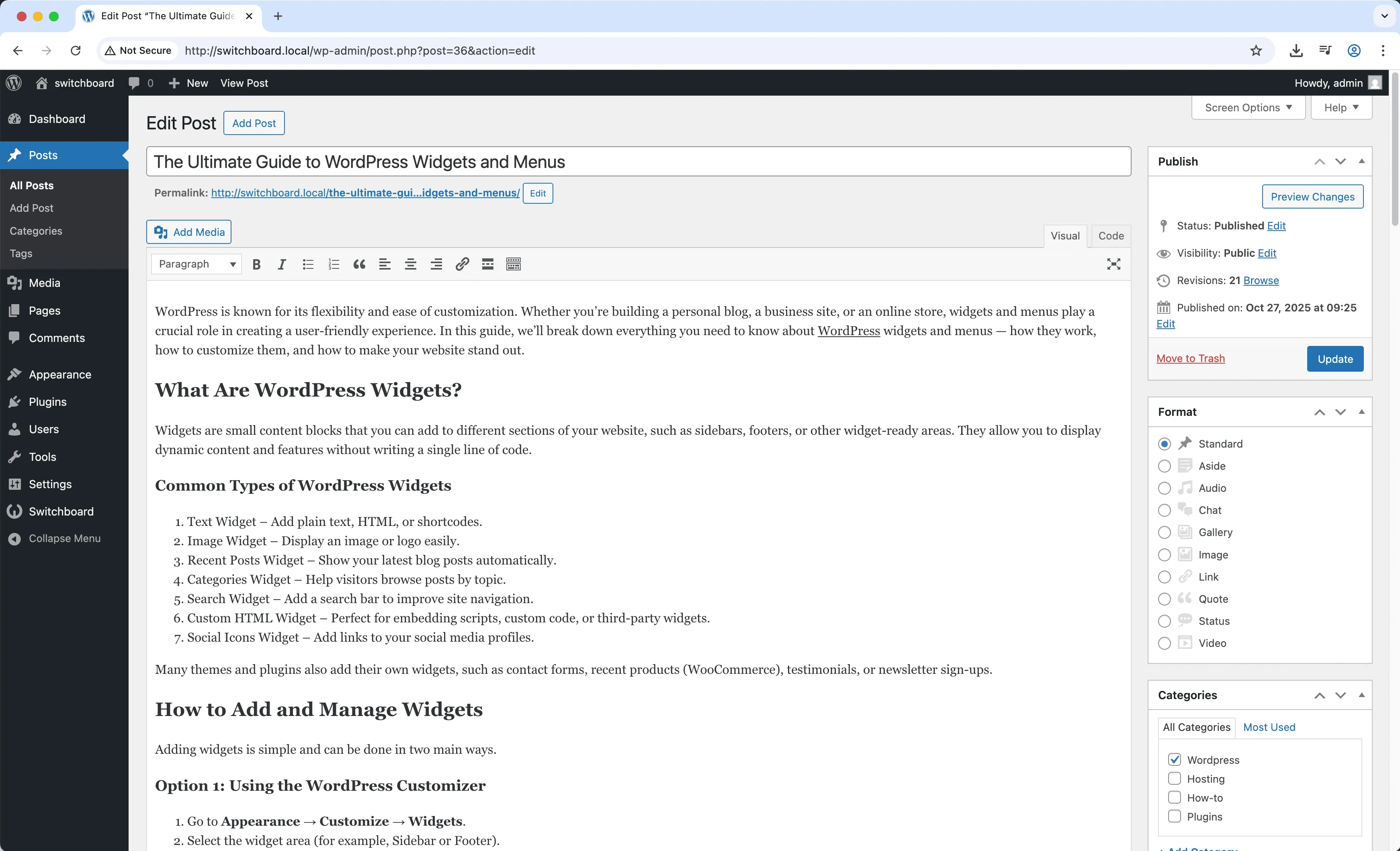
Disable Gutenberg completely removes the block editor and restores the classic WordPress editor for all content creation. While Gutenberg offers powerful block-based editing, some users prefer the simplicity of the classic editor, have themes incompatible with blocks, or need to support content workflows that work better with traditional editing. The module disables Gutenberg site-wide or for specific post types, giving you full control over the editing experience.

Before
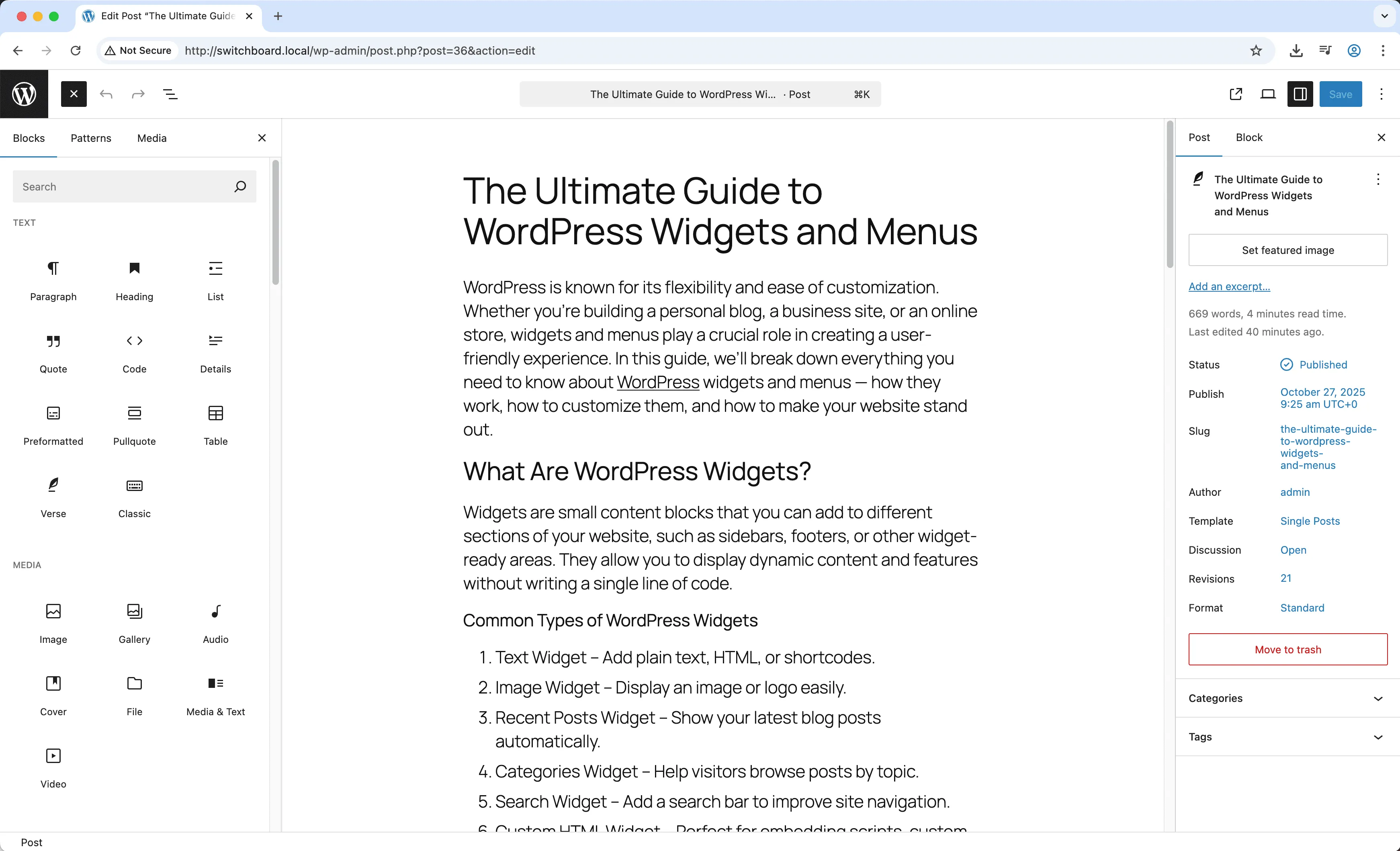
Before - Disable Gutenberg module
Enlarge
After
After - Disable Gutenberg module
Enlarge
gutenberg block-editor classic disable editor

Disable Gutenberg Part of 165+ modules $349 $249

Get Lifetime Access

Key Features

Disable globally or per post type
Restore classic editor
Remove block CSS from frontend

Why Use This Module?

  • Restore familiar classic editing experience
  • Support themes not designed for blocks
  • Simpler interface for non-technical users
  • Disable for all or specific post types
  • Maintain existing content workflows

Real-World Use Cases

Use Classic Editor

Switch back to the familiar Classic Editor if you prefer its simplicity over the block-based Gutenberg editor.

Better Performance

Reduce admin page load times by removing Gutenberg's JavaScript and CSS files when you don't need them.

How to Use

Choose to disable Gutenberg everywhere or select specific post types where classic editor should be used.

Benefits & Impact

Time Savings

Automates manual tasks and streamlines your workflow

Performance Boost

Improves site speed and database performance

Better UX

Provides a better user experience

Easy Maintenance

Simple setup with minimal ongoing maintenance

Frequently Asked Questions

Will my block content still display?

Existing block content displays normally. You just cannot edit it with the block interface. Converting blocks to classic content may require manual adjustment.

Can I disable Gutenberg for some post types only?

Yes, the module lets you choose which post types use classic editor while keeping Gutenberg for others.

Does this affect widgets and site editor?

This focuses on post and page editing. Block-based widgets and full site editing are separate features with their own controls.

What Users Are Saying

"Been using WordPress since before blocks. Classic editor is what I know and want."

— Long-time Blogger

"Clients found blocks confusing. Classic editor is faster for them to learn."

— Client Training

"My theme was built before Gutenberg. Classic editor works better with it."

— Legacy Theme User

Related Modules

OPTIMIZATION

Database Optimizer

Optimize WordPress database by cleaning post revisions, spam comments, trashed items, and transients to improve database performance and reduce size

database optimization performance +2
OPTIMIZATION

Disable Dashicons (Frontend)

Disable Dashicons icon font on frontend for logged-out users to reduce HTTP requests and improve page load speed when admin bar is hidden

dashicons performance frontend +2
OPTIMIZATION

Disable Embeds

Disable WordPress oEmbed functionality and REST API endpoint to improve performance and prevent your content from being embedded on other sites

embeds oembed performance +2
WPSwitchboard

165+ Modules.
One Plugin. Done.

Security, admin tools, performance, SEO, and more. All in one place.

Get Lifetime Access - $349 $249
Core Modules
165+
Admin Tools, Security, Optimization, and more
Enhance your WordPress admin experience
Admin Tools
Dashboard Enhancements
Customize admin interface
Security & Performance
Optimization Modules
Secure & optimize your site