Admin Module

Options Page Builder

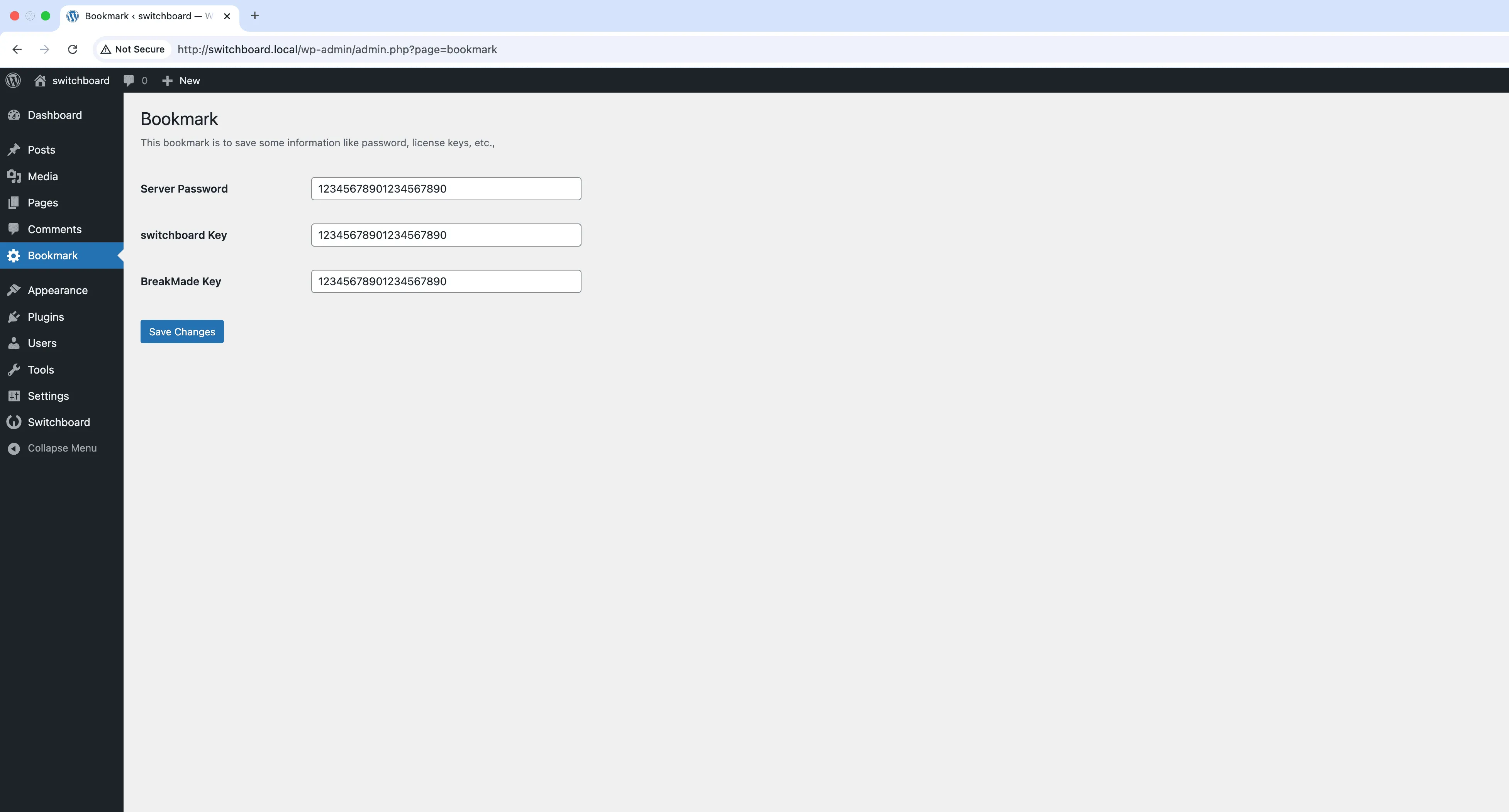
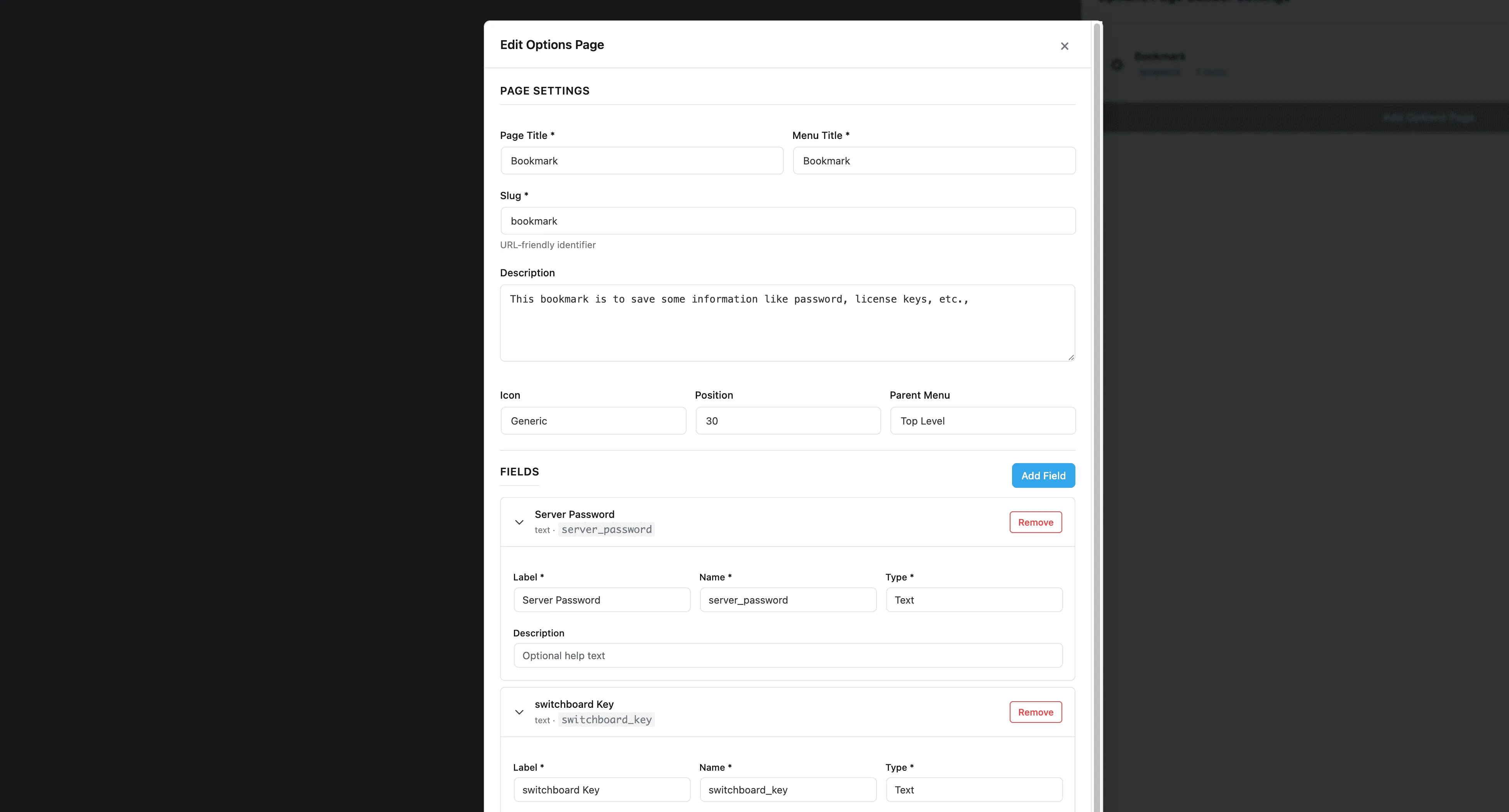
Options Page Builder lets you create custom admin settings pages to store site-wide options. Build pages with text fields, toggles, textareas, and other inputs to store configuration data in the WordPress options table. Perfect for theme options, site settings that do not fit elsewhere, or storing data that multiple plugins or templates need to access. No coding required, just define your fields and the page is generated.

Settings 1
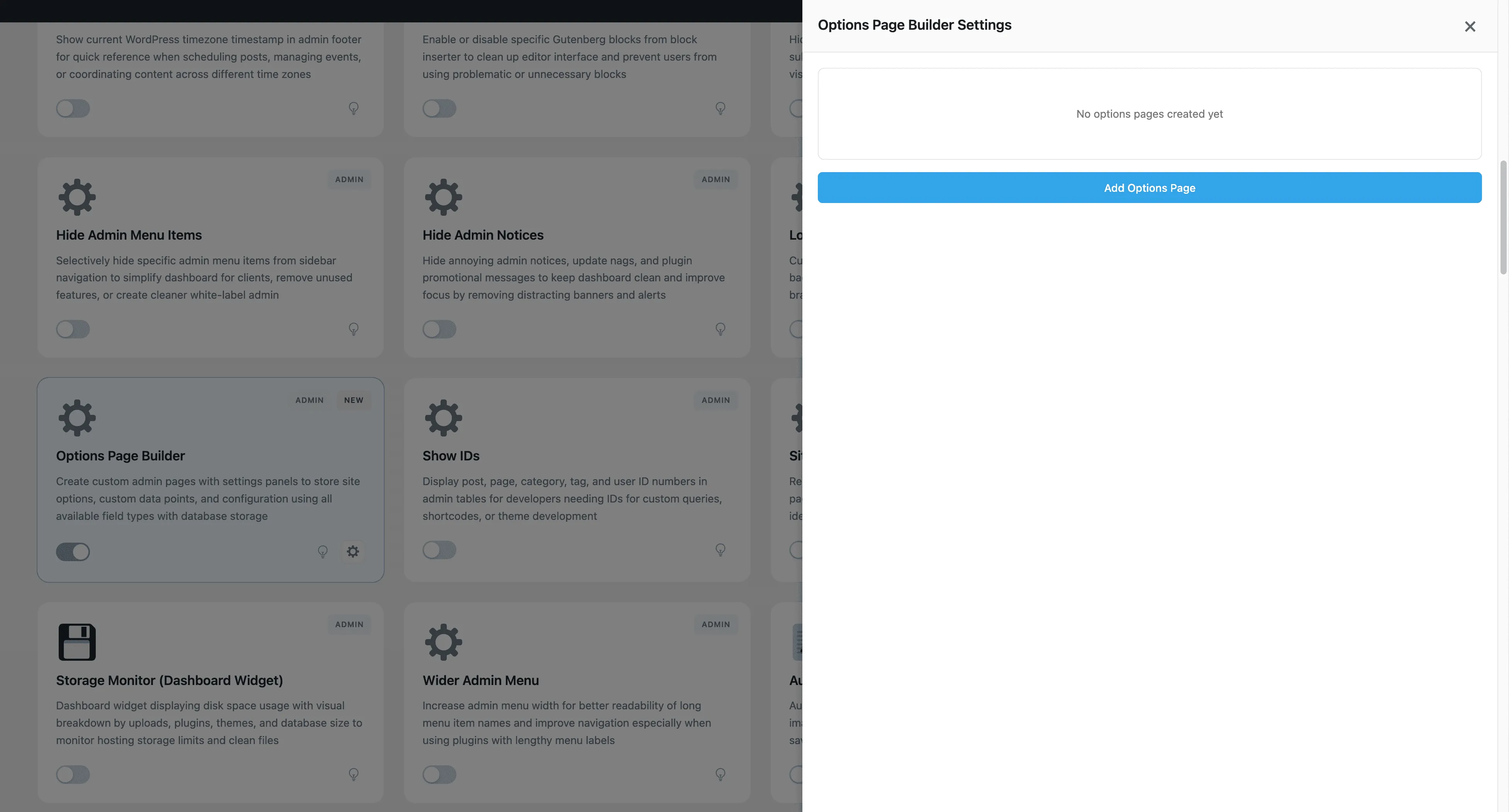
Settings 1 - Options Page Builder module
Enlarge
Settings 3
Settings 3 - Options Page Builder module
Enlarge
Setting 2
Setting 2 - Options Page Builder module
Enlarge

Swipe to see more →

admin options builder custom-fields data

Options Page Builder Part of 165+ modules $349 $249

Get Lifetime Access

Key Features

Custom options pages
Flexible page configuration
Admin menu integration

Why Use This Module?

  • Create custom options pages
  • Multiple field types supported
  • Data stored in WordPress options
  • No coding required
  • Accessible to themes and plugins

Real-World Use Cases

Site Settings Hub

Create centralized options page for client to manage social media links, contact information, and opening hours without touching theme code.

Plugin Settings Organization

Consolidate scattered plugin settings into single organized options page instead of having 10 different menu items.

Theme Options Panel

Build custom theme settings page for colors, layouts, and features without requiring expensive page builder or theme framework.

How to Use

Configure your custom options page settings in the module settings to create additional admin pages.

Benefits & Impact

Time Savings

Automates manual tasks and streamlines your workflow

Performance Boost

Streamlines admin workflow and efficiency

Better UX

Provides a better user experience

Easy Maintenance

Simple setup with minimal ongoing maintenance

Frequently Asked Questions

Where is the data stored?

Options are stored in the WordPress options table, accessible via get_option() in themes and plugins.

What field types are available?

Text, textarea, checkbox, select, number, color picker, and more common input types.

Can I create multiple options pages?

Yes, create as many options pages as needed for different settings categories.

What Users Are Saying

"Theme options without writing the settings API code. Huge time saver."

— Theme Developer

"Client needed custom settings. Built the page visually instead of coding it."

— Client Project

"Store configuration that several templates need. Options page made it accessible."

— Internal Tool

Related Modules

ADMIN

Display Active Plugins First

Show active plugins at the top of plugins list separated from inactive plugins for easier management and quick access to enabled plugins needing updates

plugins admin sorting +2
ADMIN

Admin Color Schemes

Create custom admin color schemes with primary and secondary colors applied throughout WordPress dashboard including menu, buttons, links, and interface elements

admin colors themes +2
ADMIN

Admin Columns Manager

Manage, reorder, hide, and customize admin list table columns for all post types with drag-and-drop interface and custom fields support for developers

admin columns tables +2
WPSwitchboard

165+ Modules.
One Plugin. Done.

Security, admin tools, performance, SEO, and more. All in one place.

Get Lifetime Access - $349 $249
Core Modules
165+
Admin Tools, Security, Optimization, and more
Enhance your WordPress admin experience
Admin Tools
Dashboard Enhancements
Customize admin interface
Security & Performance
Optimization Modules
Secure & optimize your site