Admin Module

Compact Tables

Compact Tables creates ultra-compact post and page list tables in the WordPress admin by reducing padding, using compact date formats, and minimizing spacing between rows. This lets you see significantly more content per screen without scrolling, which is invaluable when managing sites with hundreds or thousands of posts. The denser layout makes it faster to scan through content lists, find specific items, and perform bulk operations. The styling is carefully designed to remain readable while maximizing information density.

Before (pages)
Before (pages) - Compact Tables module
Enlarge
Before (posts)
Before (posts) - Compact Tables module
Enlarge
After (pages)
After (pages) - Compact Tables module
Enlarge
After (posts)
After (posts) - Compact Tables module
Enlarge
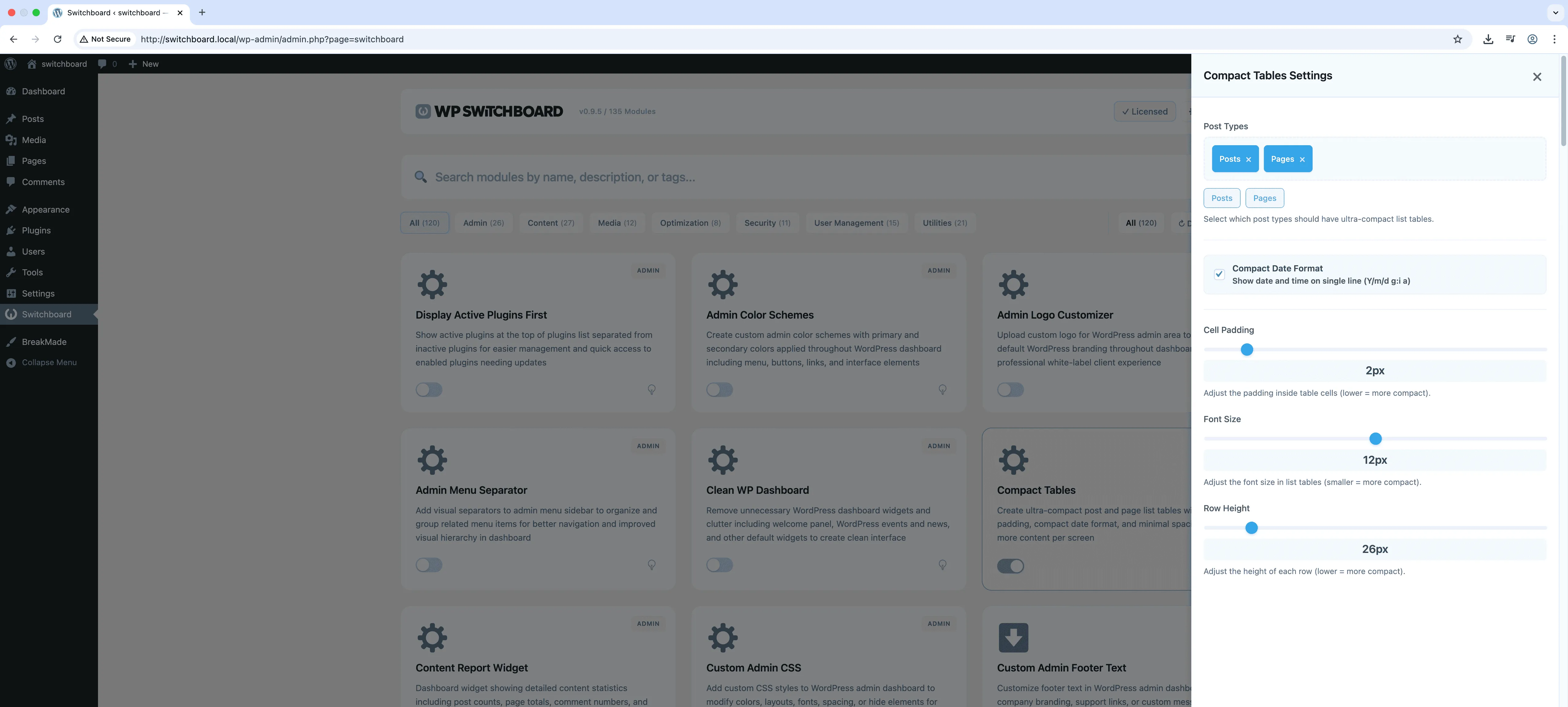
Settings
Settings - Compact Tables module
Enlarge

Swipe to see more →

admin tables compact performance ui

Compact Tables Part of 165+ modules $349 $249

Get Lifetime Access

Key Features

Ultra-compact table styling
Configurable padding and spacing
Compact date format
Reduced row height
More content visible per page

Why Use This Module?

  • See more posts per screen without scrolling
  • Faster content scanning for large sites
  • Reduced padding and compact date formats
  • More efficient bulk content management
  • Cleaner, denser information display

Real-World Use Cases

Managing 500+ Posts

Reduce row height in posts table to see 30+ articles per screen instead of 10, making batch operations much faster.

Product Catalog Management

Fit more WooCommerce products on screen when doing inventory updates across hundreds of items.

Small Laptop Screens

Maximize visible rows for editors working on 13-inch laptops or smaller screens where vertical space is limited.

How to Use

Select post types and configure styling options in the module settings. Choose your preferred padding, font size, and date format.

Benefits & Impact

Time Savings

Automates manual tasks and streamlines your workflow

Performance Boost

Streamlines admin workflow and efficiency

Better UX

Provides a better user experience

Easy Maintenance

Simple setup with minimal ongoing maintenance

Frequently Asked Questions

Will this affect readability?

The compact styling is designed to be readable while denser. Font sizes remain the same, only padding and spacing are reduced.

Does this work with custom post types?

Yes, the compact styling applies to all admin list tables including posts, pages, and any custom post types.

Can I adjust how compact it is?

The module applies a preset compact style. For custom density levels, you could use Custom Admin CSS to fine-tune the spacing.

What Users Are Saying

"I can see way more posts at once now. Less scrolling when you are managing hundreds of articles."

— Large Blog Network

"We have thousands of listings. Compact view means I can actually scan through them efficiently."

— Directory Website

"Editors review a lot of content daily. Tighter spacing means fewer page loads."

— News Site

Related Modules

ADMIN

Display Active Plugins First

Show active plugins at the top of plugins list separated from inactive plugins for easier management and quick access to enabled plugins needing updates

plugins admin sorting +2
ADMIN

Admin Color Schemes

Create custom admin color schemes with primary and secondary colors applied throughout WordPress dashboard including menu, buttons, links, and interface elements

admin colors themes +2
ADMIN

Admin Columns Manager

Manage, reorder, hide, and customize admin list table columns for all post types with drag-and-drop interface and custom fields support for developers

admin columns tables +2
WPSwitchboard

165+ Modules.
One Plugin. Done.

Security, admin tools, performance, SEO, and more. All in one place.

Get Lifetime Access - $349 $249
Core Modules
165+
Admin Tools, Security, Optimization, and more
Enhance your WordPress admin experience
Admin Tools
Dashboard Enhancements
Customize admin interface
Security & Performance
Optimization Modules
Secure & optimize your site