Content Module

External Permalinks

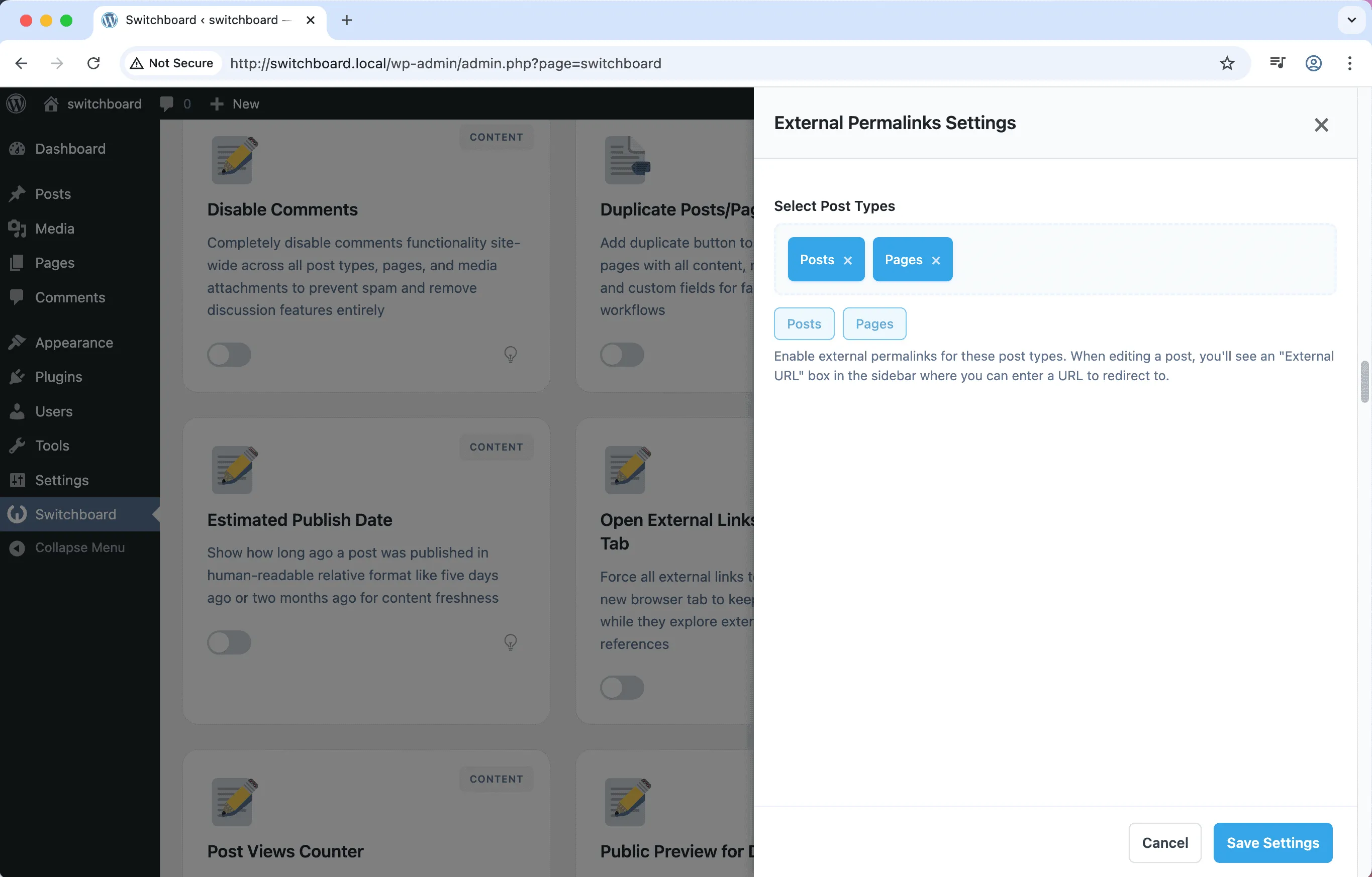
External Permalinks lets you redirect individual posts or pages to external URLs while keeping them manageable in WordPress. Add a post to your site for organizational purposes, then have its permalink redirect to an external resource. This is perfect for link roundups, curated resources, or menu items that should go to external sites. The post exists in WordPress for navigation and management but visitors clicking it go directly to the external URL.

After (pages)
After (pages) - External Permalinks module
Enlarge
After (posts)
After (posts) - External Permalinks module
Enlarge
Settings
Settings - External Permalinks module
Enlarge

Swipe to see more →

permalinks external redirects links content

External Permalinks Part of 165+ modules $349 $249

Get Lifetime Access

Key Features

External URL redirects
Custom permalink destinations
Useful for navigation menus

Why Use This Module?

  • Redirect posts to external URLs
  • Keep external links organized in WordPress
  • Perfect for curated resource lists
  • Works with navigation menus naturally
  • Maintain editorial control over link destinations

Real-World Use Cases

Affiliate Product Links

Create menu items linking directly to Amazon products or external affiliate offers without placeholder WordPress pages.

Social Media Menu

Add Facebook, Twitter, Instagram links in navigation menu that go directly to social profiles, not WordPress pages.

Partner Resources

Link to partner login portals or external resources from WordPress menu without creating redirect pages.

How to Use

In the post editor, enter an external URL in the custom field. The post will redirect to that URL when accessed.

Benefits & Impact

Time Savings

Automates manual tasks and streamlines your workflow

Performance Boost

Enhances overall site functionality

Better UX

Improves content management and organization

Easy Maintenance

Simple setup with minimal ongoing maintenance

Frequently Asked Questions

What type of redirect is used?

The module uses 301 permanent redirects, telling search engines the destination is the canonical URL.

Can I change the external URL later?

Yes, the external URL is stored as post meta and can be updated anytime through the post editor.

Do these posts appear in archives?

Yes, they appear in archives and can have featured images. Clicking them redirects to the external URL.

What Users Are Saying

"Curated tools with our descriptions. Clicking goes to the tool site. Perfect for our use case."

— Resource Directory

"Link to stories on other sites while keeping summaries in our WordPress."

— News Aggregator

"Some projects live on external platforms. Posts link out while staying in my portfolio navigation."

— Portfolio Site

Related Modules

CONTENT

Accessibility Widget

Add frontend accessibility widget with font size controls, contrast adjustments, and keyboard navigation improvements for WCAG compliance and better user experience

accessibility a11y widget +2
CONTENT

Auto Featured Image

Automatically set first image in post content as featured image if none is set to ensure all posts have featured images for better appearance and social sharing

featured-image automation images +2
CONTENT

Auto Publish Missed Schedule

Automatically publish posts that missed their scheduled publication time due to server issues, traffic spikes, or cron failures to ensure content goes live as planned

scheduling posts automation +2
WPSwitchboard

165+ Modules.
One Plugin. Done.

Security, admin tools, performance, SEO, and more. All in one place.

Get Lifetime Access - $349 $249
Core Modules
165+
Admin Tools, Security, Optimization, and more
Enhance your WordPress admin experience
Admin Tools
Dashboard Enhancements
Customize admin interface
Security & Performance
Optimization Modules
Secure & optimize your site