Admin Module

Admin Menu Separator

Admin Menu Separator adds visual divider lines to the WordPress admin sidebar menu, helping you organize menu items into logical groups. Insert separators between related sections like content management, e-commerce, and settings to make the menu easier to scan. This is particularly useful on sites with many plugins that each add their own menu items, creating a cluttered sidebar that becomes hard to navigate. Separators provide visual breathing room and help users quickly locate the section they need. The module integrates with Admin Menu Organizer so you can combine custom ordering with visual grouping for a fully optimized admin experience.

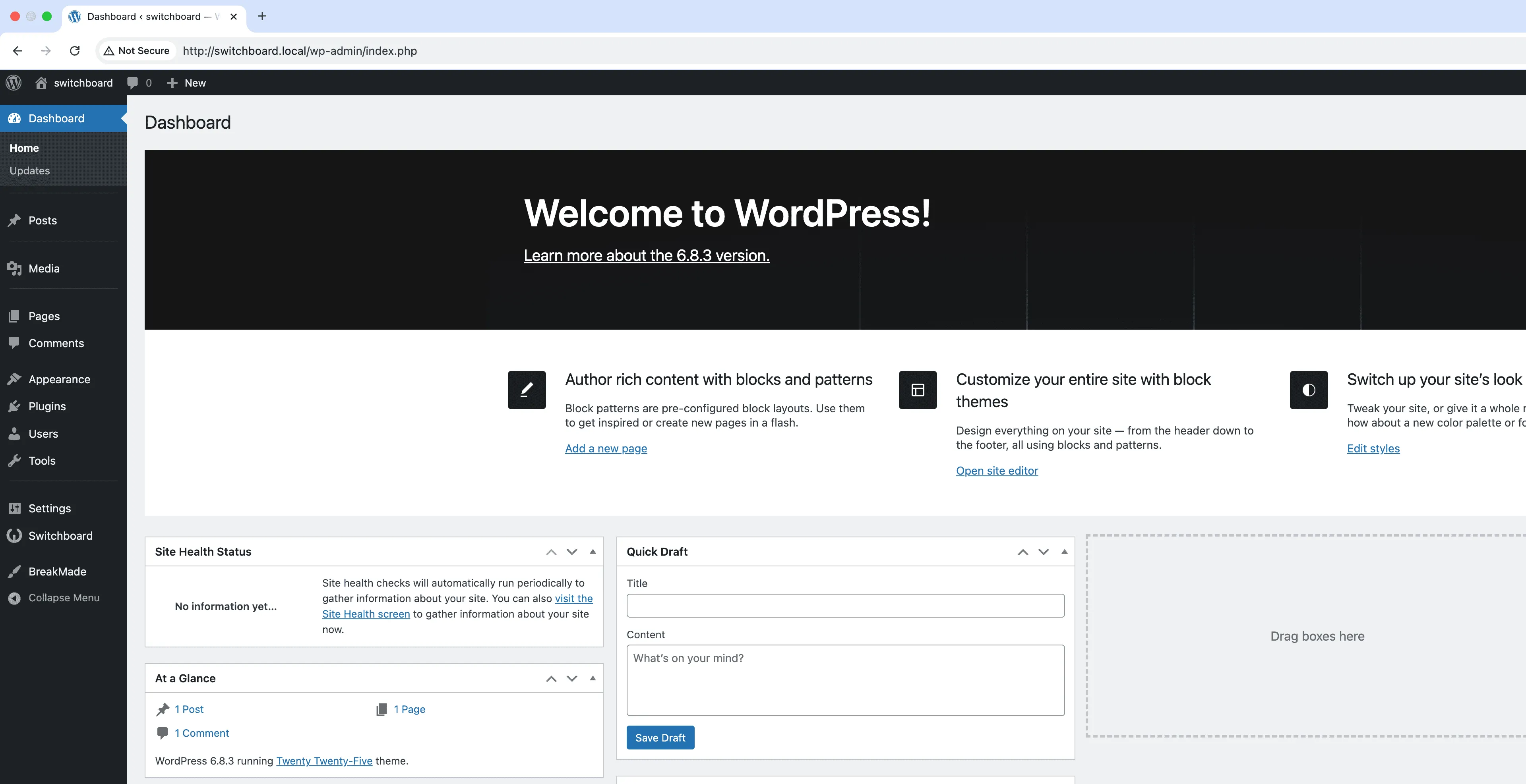
Before
Before - Admin Menu Separator module
Enlarge
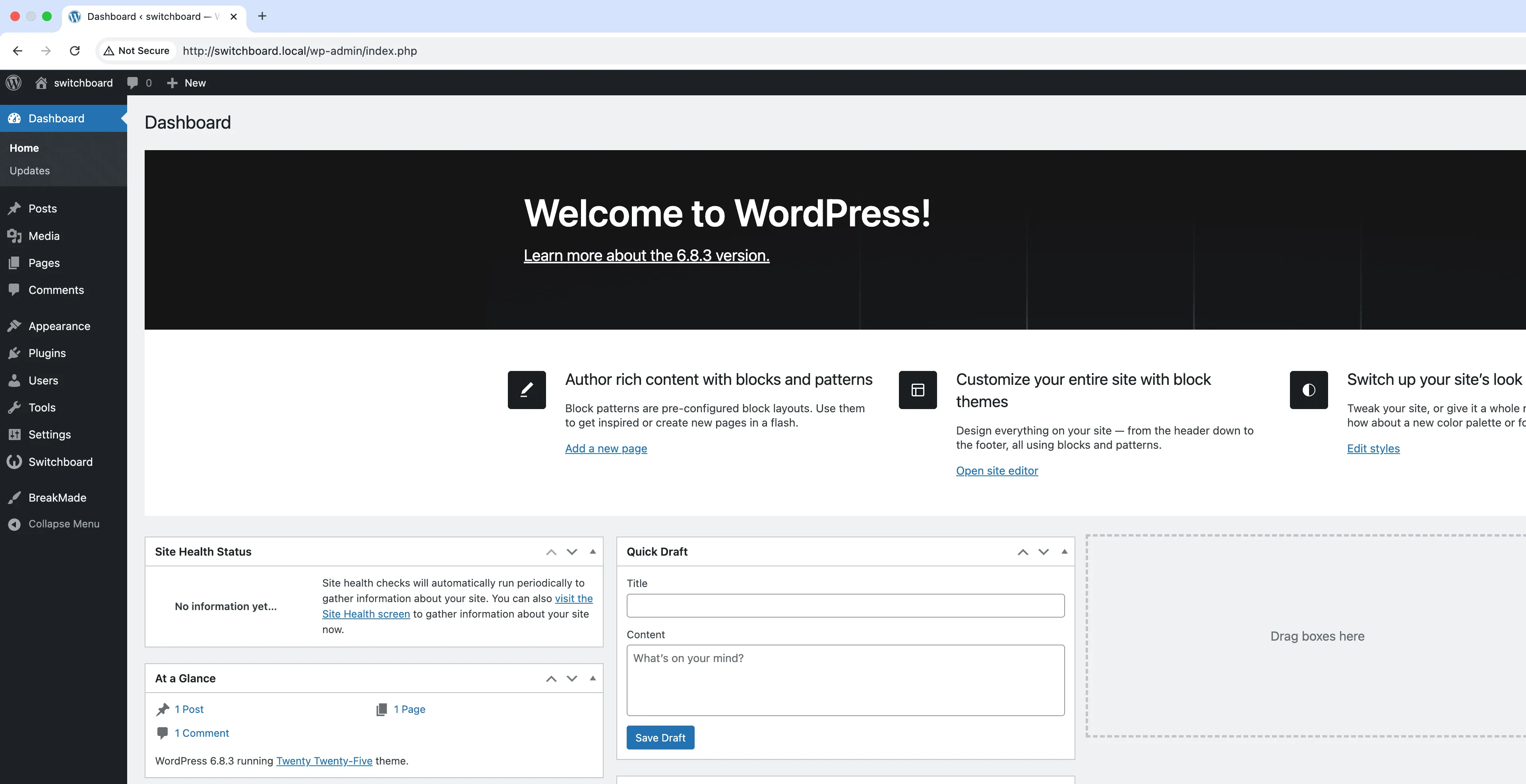
After
After - Admin Menu Separator module
Enlarge
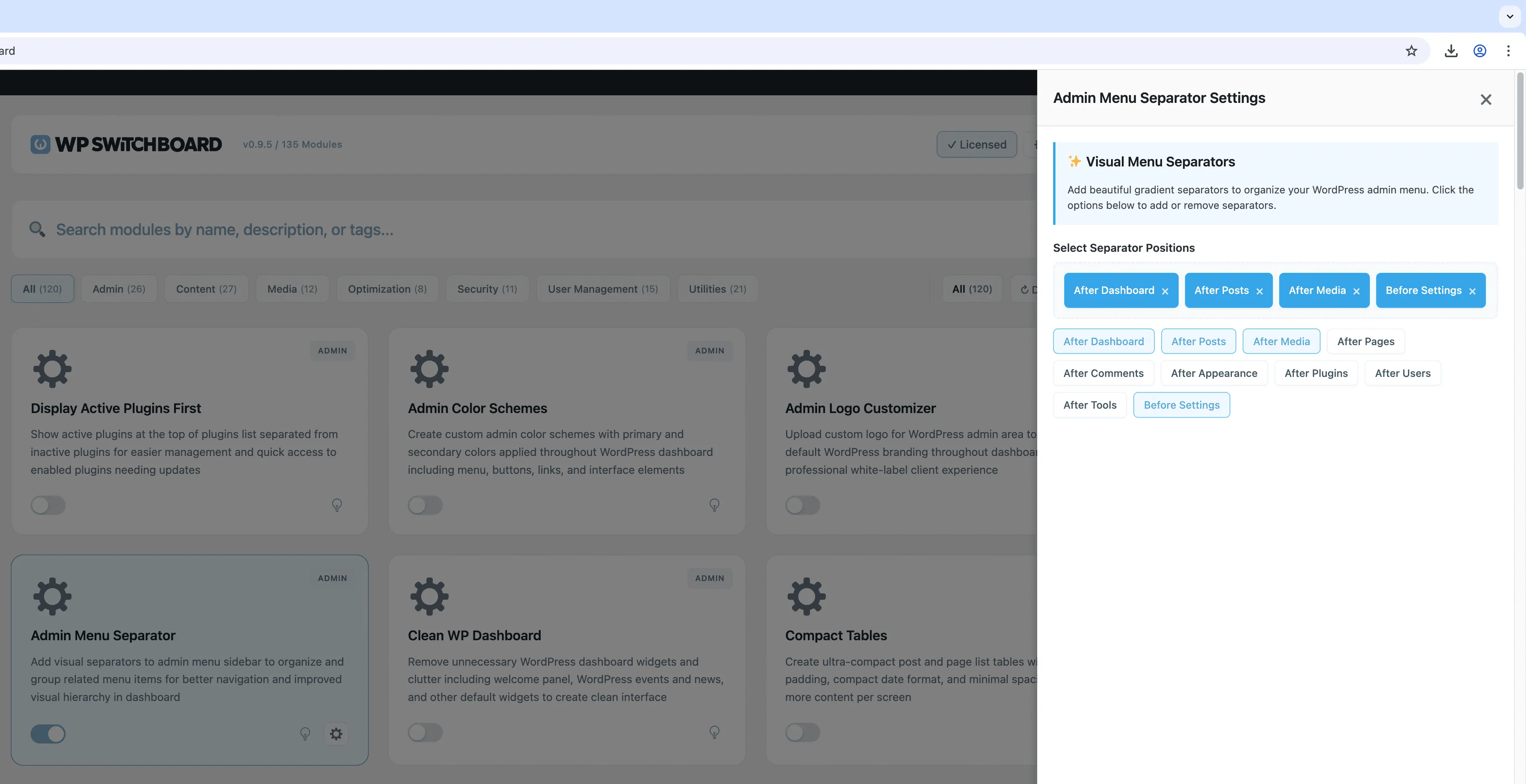
Settings
Settings - Admin Menu Separator module
Enlarge

Swipe to see more →

admin menu separator organization visual

Admin Menu Separator Part of 165+ modules $349 $249

Get Lifetime Access

Key Features

Visual menu separators
Custom separator labels
Improved menu organization

Why Use This Module?

  • Visually organize cluttered admin menus into logical sections
  • Help users quickly find menu items by grouping related features
  • Reduce cognitive load when navigating complex dashboards
  • Create professional-looking admin interfaces for clients
  • Works seamlessly with Admin Menu Organizer for complete customization

Real-World Use Cases

Visual Menu Organization

Add visual separators to divide admin menu into sections like 'Content Management', 'E-Commerce', and 'Site Settings' for better navigation.

Training New Team Members

Separate beginner-friendly tools from advanced settings with labeled dividers to help new employees learn the dashboard faster.

Large Plugin Installations

Break up long menu lists on sites with 30+ menu items by grouping related functionality with clear visual boundaries.

How to Use

Add separators in the module settings to visually group related menu items in your admin menu.

Benefits & Impact

Time Savings

Automates manual tasks and streamlines your workflow

Performance Boost

Streamlines admin workflow and efficiency

Better UX

Provides a better user experience

Easy Maintenance

Simple setup with minimal ongoing maintenance

Frequently Asked Questions

Where can I add separators?

You can add separators between any top-level menu items. Drag and drop the separator to position it exactly where you want the visual break.

Can I customize how the separator looks?

Separators use a subtle line that matches WordPress admin styling. The appearance is designed to look native and professional without being distracting.

Do separators affect which users see which menu items?

No, separators are purely visual. They do not hide or restrict access to any menu items. Use Admin Menu Organizer to control visibility per role.

What Users Are Saying

"Sounds minor but separating shop stuff from content stuff really helped our team navigate the backend."

— E-commerce Site

"I group related plugins together with separators. Makes the admin feel way more organized."

— Web Developer

"We have a lot of custom post types. Separators helped us visually break them into logical sections."

— Media Company

Related Modules

ADMIN

Display Active Plugins First

Show active plugins at the top of plugins list separated from inactive plugins for easier management and quick access to enabled plugins needing updates

plugins admin sorting +2
ADMIN

Admin Color Schemes

Create custom admin color schemes with primary and secondary colors applied throughout WordPress dashboard including menu, buttons, links, and interface elements

admin colors themes +2
ADMIN

Admin Columns Manager

Manage, reorder, hide, and customize admin list table columns for all post types with drag-and-drop interface and custom fields support for developers

admin columns tables +2
WPSwitchboard

165+ Modules.
One Plugin. Done.

Security, admin tools, performance, SEO, and more. All in one place.

Get Lifetime Access - $349 $249
Core Modules
165+
Admin Tools, Security, Optimization, and more
Enhance your WordPress admin experience
Admin Tools
Dashboard Enhancements
Customize admin interface
Security & Performance
Optimization Modules
Secure & optimize your site