Content

Custom Taxonomy Order

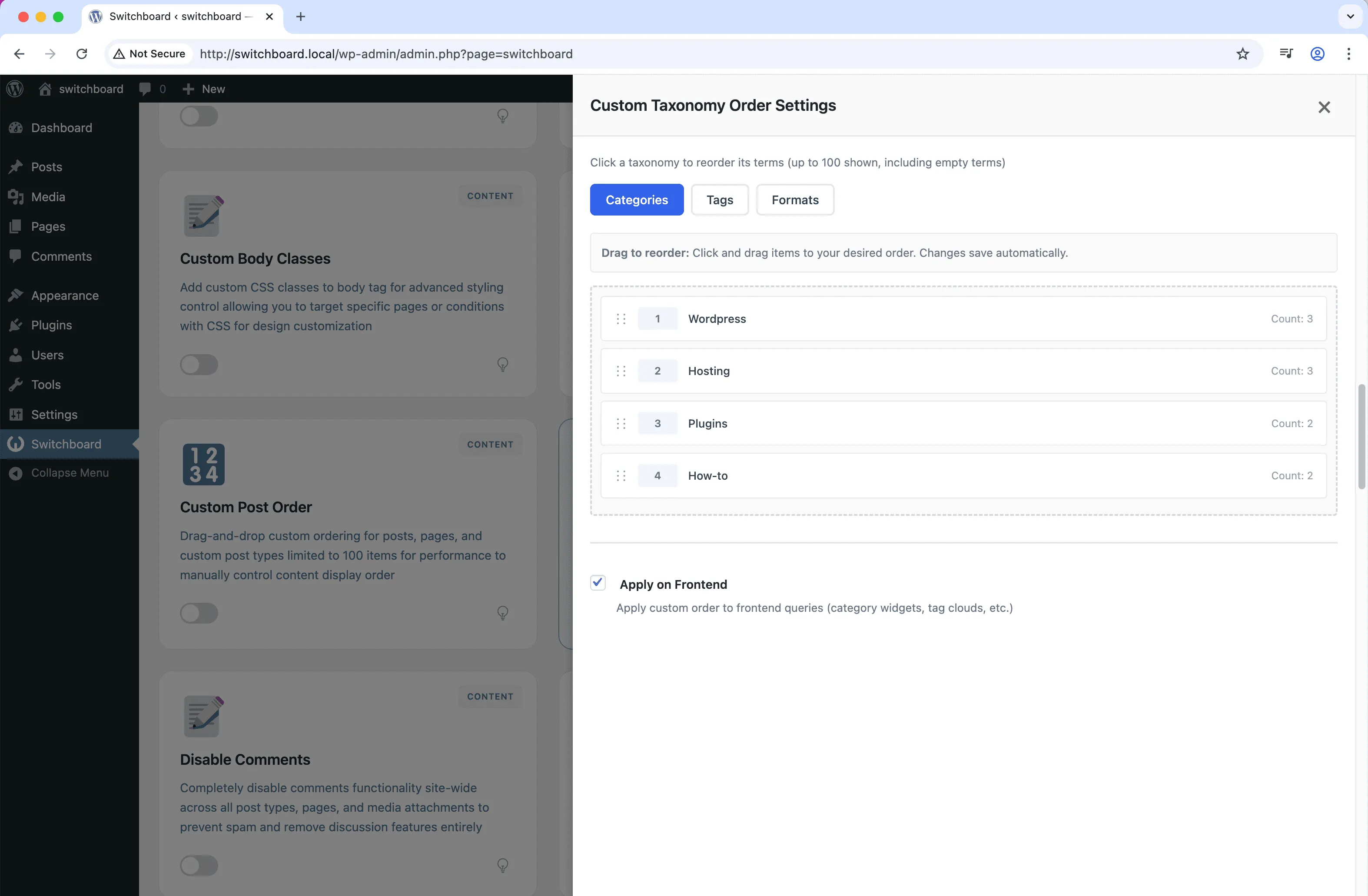
Reorder categories, tags, and custom taxonomy terms with drag-and-drop interface to control term display order in widgets, menus, and archives

taxonomies ordering sorting drag-drop content

Custom Taxonomy Order is a part of WPSwitchboard • Get lifetime access to all 148+ modules for $349 $249

Key Features

Reorder categories, tags, and custom taxonomy terms with drag-and-drop interface to control term display order in widgets, menus, and archives

  • Drag-and-drop term reordering
  • Works with all taxonomies
  • Frontend display control

Real-World Use Cases

Navigation Menu Order

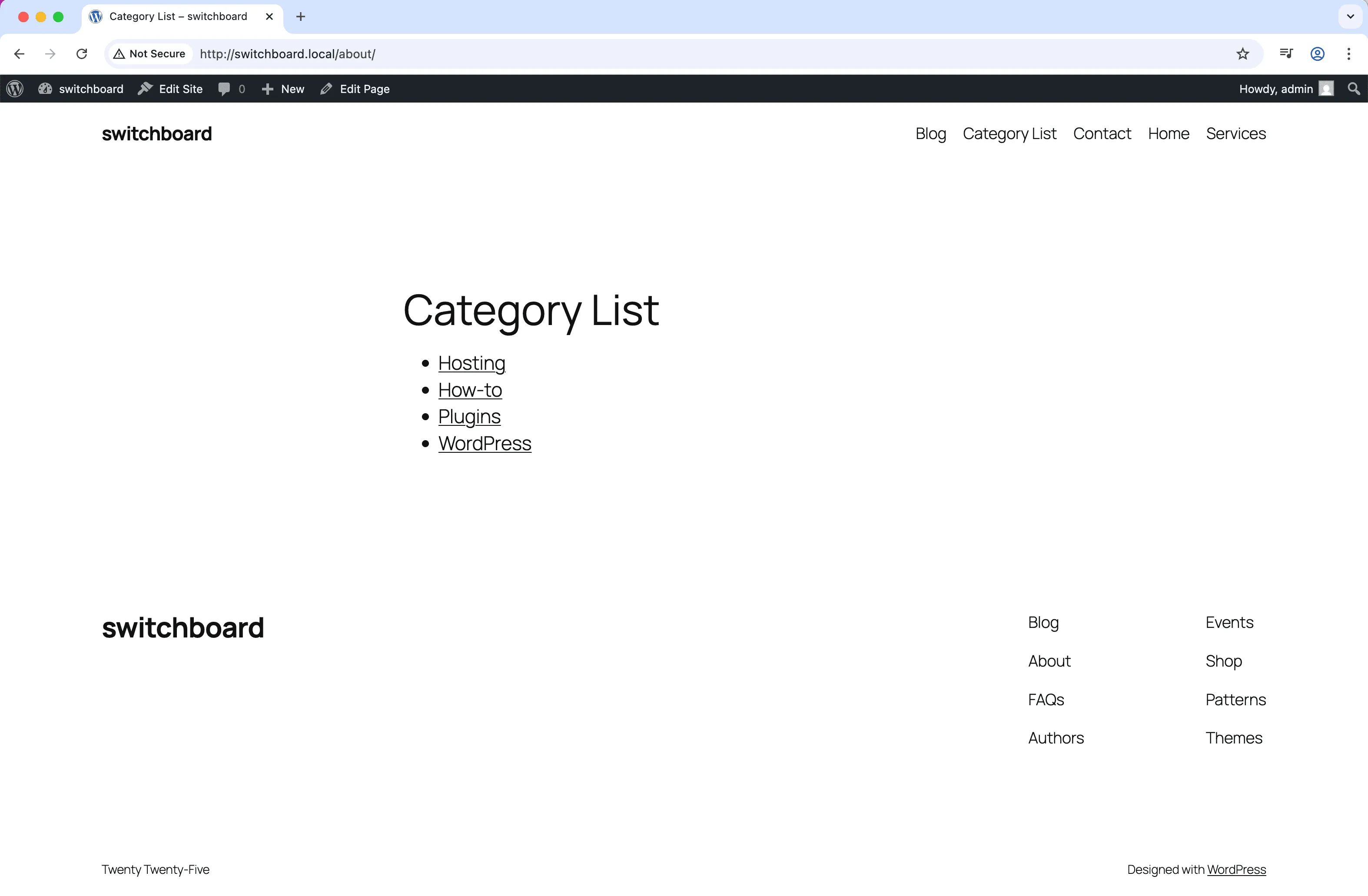
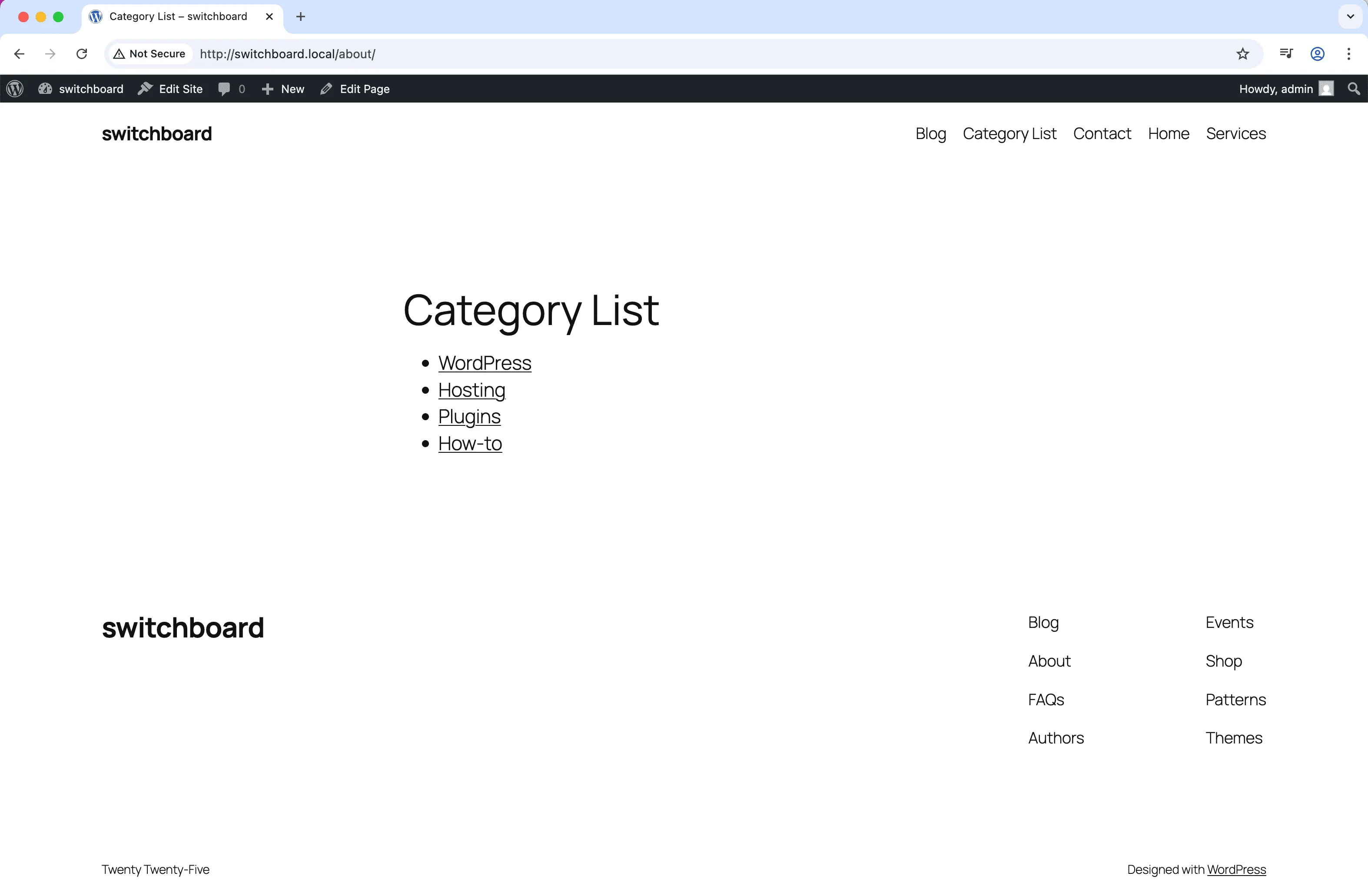
Reorder product categories to match desired menu structure instead of alphabetical, putting bestselling categories first.

Filter Display Priority

Arrange attribute filters on shop page to show most important filters (price, brand, size) before less common ones.

Archive Organization

Order blog categories in sidebar to prioritize popular topics over niche categories regardless of alphabetical order.

How to Use

Navigate to any taxonomy page and use the drag-and-drop interface to reorder terms.

Benefits & Impact

Time Savings

Automates manual tasks and streamlines your workflow

Performance Boost

Enhances overall site functionality

Better UX

Improves content management and organization

Easy Maintenance

Simple setup with minimal ongoing maintenance

Related Modules

CONTENT

Accessibility Widget

Add frontend accessibility widget with font size controls, contrast adjustments, and keyboard navigation improvements for WCAG compliance and better user experience

accessibility a11y widget +2
CONTENT

Auto Featured Image

Automatically set first image in post content as featured image if none is set to ensure all posts have featured images for better appearance and social sharing

featured-image automation images +2
CONTENT

Auto Publish Missed Schedule

Automatically publish posts that missed their scheduled publication time due to server issues, traffic spikes, or cron failures to ensure content goes live as planned

scheduling posts automation +2
WPSwitchboard

Powerful WordPress Admin Modules
for Enhanced Productivity

Access 148+ powerful WordPress modules to customize and optimize your admin experience.

Get Lifetime Access - $349 $249
Core Modules
148+
Admin Tools, Security, Optimization, and more
Enhance your WordPress admin experience
Admin Tools
Dashboard Enhancements
Customize admin interface
Security & Performance
Optimization Modules
Secure & optimize your site