Admin Module

Hide Admin Notices

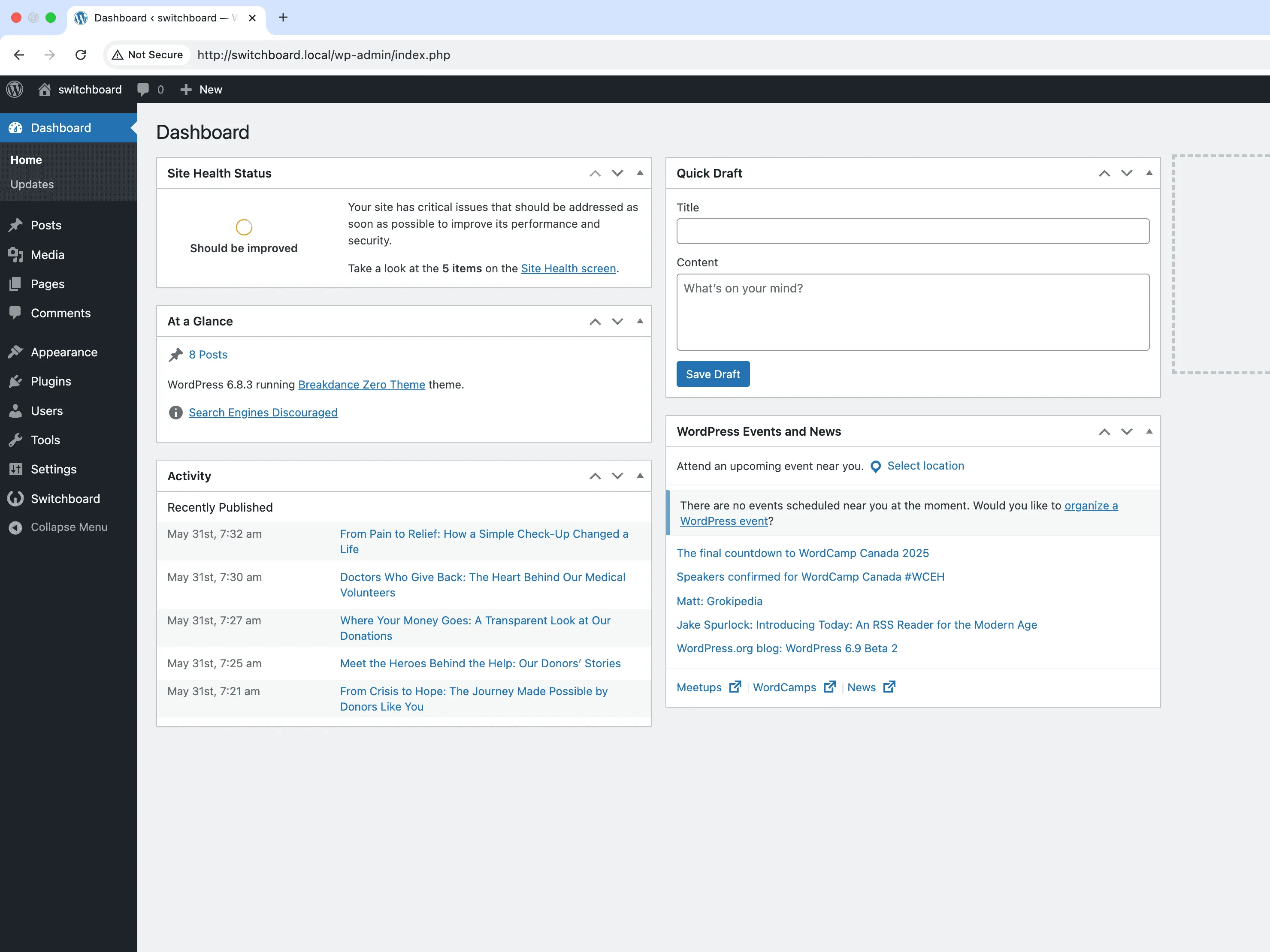
Hide Admin Notices removes the often overwhelming admin notices, nags, and promotional messages that plugins and WordPress display in the dashboard. Plugin authors frequently use notices for upsells, review requests, and announcements that clutter your admin experience. This module hides these notices, letting you focus on actual work. Keep critical notices if needed while removing the noise that makes the dashboard feel like an advertising platform.

Before
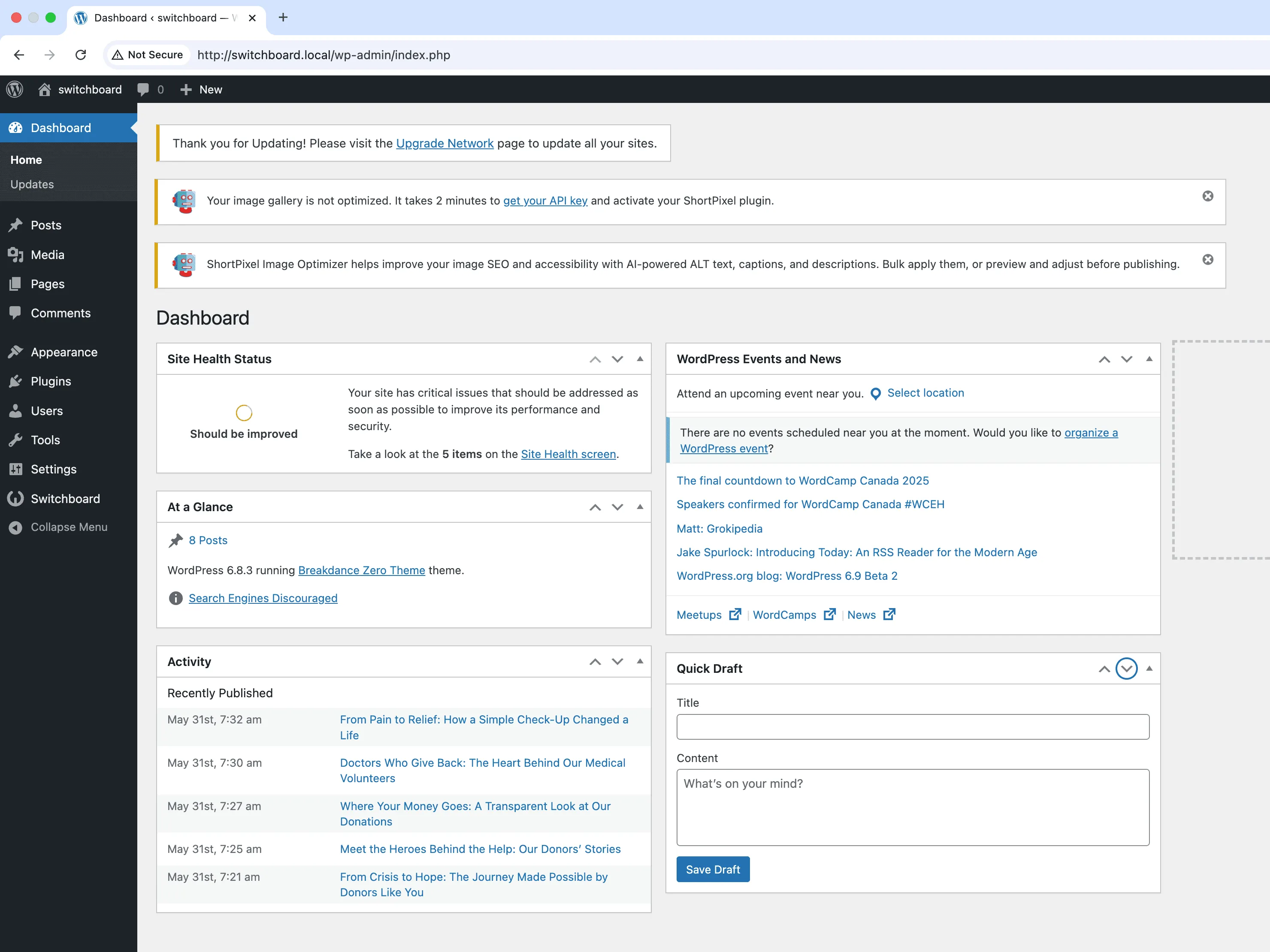
Before - Hide Admin Notices module
Enlarge
After
After - Hide Admin Notices module
Enlarge
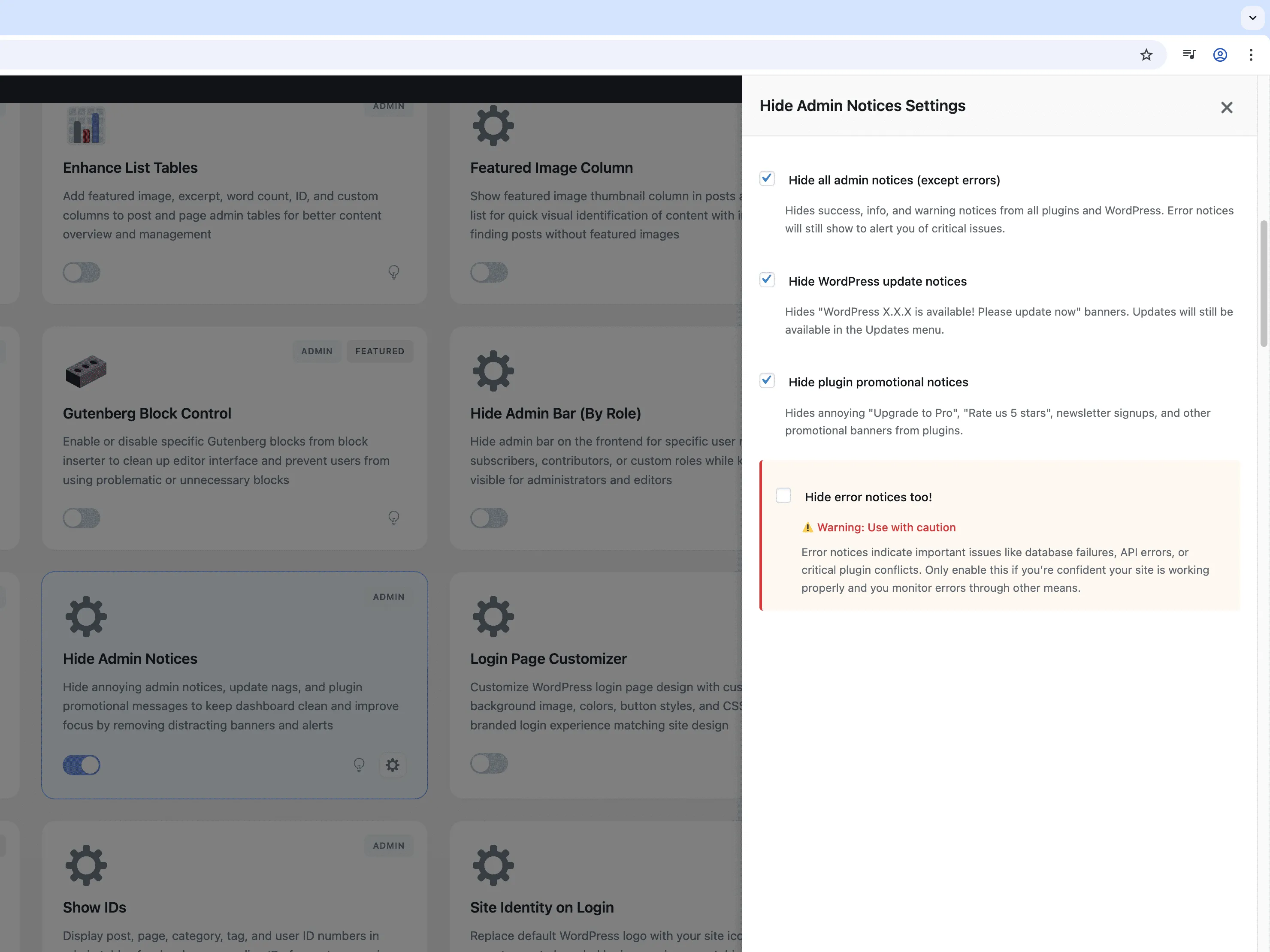
Settings
Settings - Hide Admin Notices module
Enlarge

Swipe to see more →

admin notices hide cleanup dashboard

Hide Admin Notices Part of 165+ modules $349 $249

Get Lifetime Access

Key Features

Hide all notices (except errors)
Hide WordPress update notices
Hide plugin promotional notices
Cleaner admin interface

Why Use This Module?

  • Remove plugin promotional notices
  • Cleaner admin experience
  • Focus on content not ads
  • Hide update nags
  • Reduce admin clutter

Real-World Use Cases

Clean Client Experience

Remove plugin update nags and promotional banners that confuse clients who shouldn't manage updates.

Distraction-Free Writing

Hide PHP warnings and minor plugin notices for content editors who just need to focus on publishing articles.

Managed Hosting Setup

Remove update notifications when updates are handled by hosting provider, keeping admin interface clean and professional.

How to Use

Configure which types of notices to hide using the checkboxes in the module settings.

Benefits & Impact

Time Savings

Automates manual tasks and streamlines your workflow

Performance Boost

Streamlines admin workflow and efficiency

Better UX

Provides a better user experience

Easy Maintenance

Simple setup with minimal ongoing maintenance

Frequently Asked Questions

Will this hide important notices?

You can configure which notice types to hide. Critical error notices can be preserved while hiding promotional content.

Does this affect plugin functionality?

No, hiding notices is purely visual. Plugin features work normally.

Will I miss security updates?

Update notifications can be configured. Consider keeping security-related notices while hiding promotional ones.

What Users Are Saying

"Every plugin wants me to leave a review or upgrade. Hid all that noise finally."

— Daily Admin User

"Clients were clicking random notices and getting confused. Clean dashboard now."

— Agency Manager

"I just want to write posts. Not be advertised to by every plugin I installed."

— Focus Seeker

Related Modules

ADMIN

Display Active Plugins First

Show active plugins at the top of plugins list separated from inactive plugins for easier management and quick access to enabled plugins needing updates

plugins admin sorting +2
ADMIN

Admin Color Schemes

Create custom admin color schemes with primary and secondary colors applied throughout WordPress dashboard including menu, buttons, links, and interface elements

admin colors themes +2
ADMIN

Admin Columns Manager

Manage, reorder, hide, and customize admin list table columns for all post types with drag-and-drop interface and custom fields support for developers

admin columns tables +2
WPSwitchboard

165+ Modules.
One Plugin. Done.

Security, admin tools, performance, SEO, and more. All in one place.

Get Lifetime Access - $349 $249
Core Modules
165+
Admin Tools, Security, Optimization, and more
Enhance your WordPress admin experience
Admin Tools
Dashboard Enhancements
Customize admin interface
Security & Performance
Optimization Modules
Secure & optimize your site