Content Module

Table of Contents

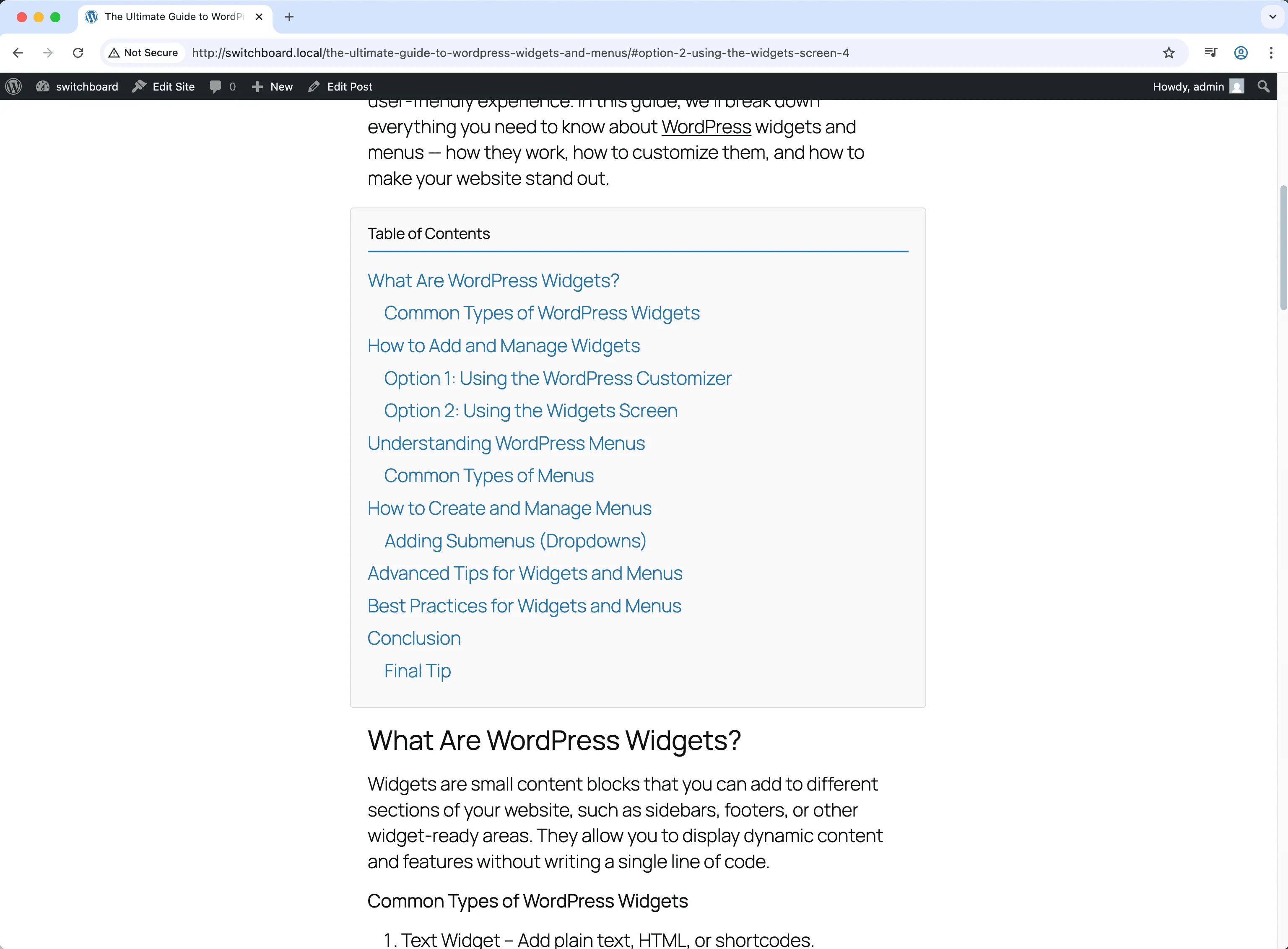
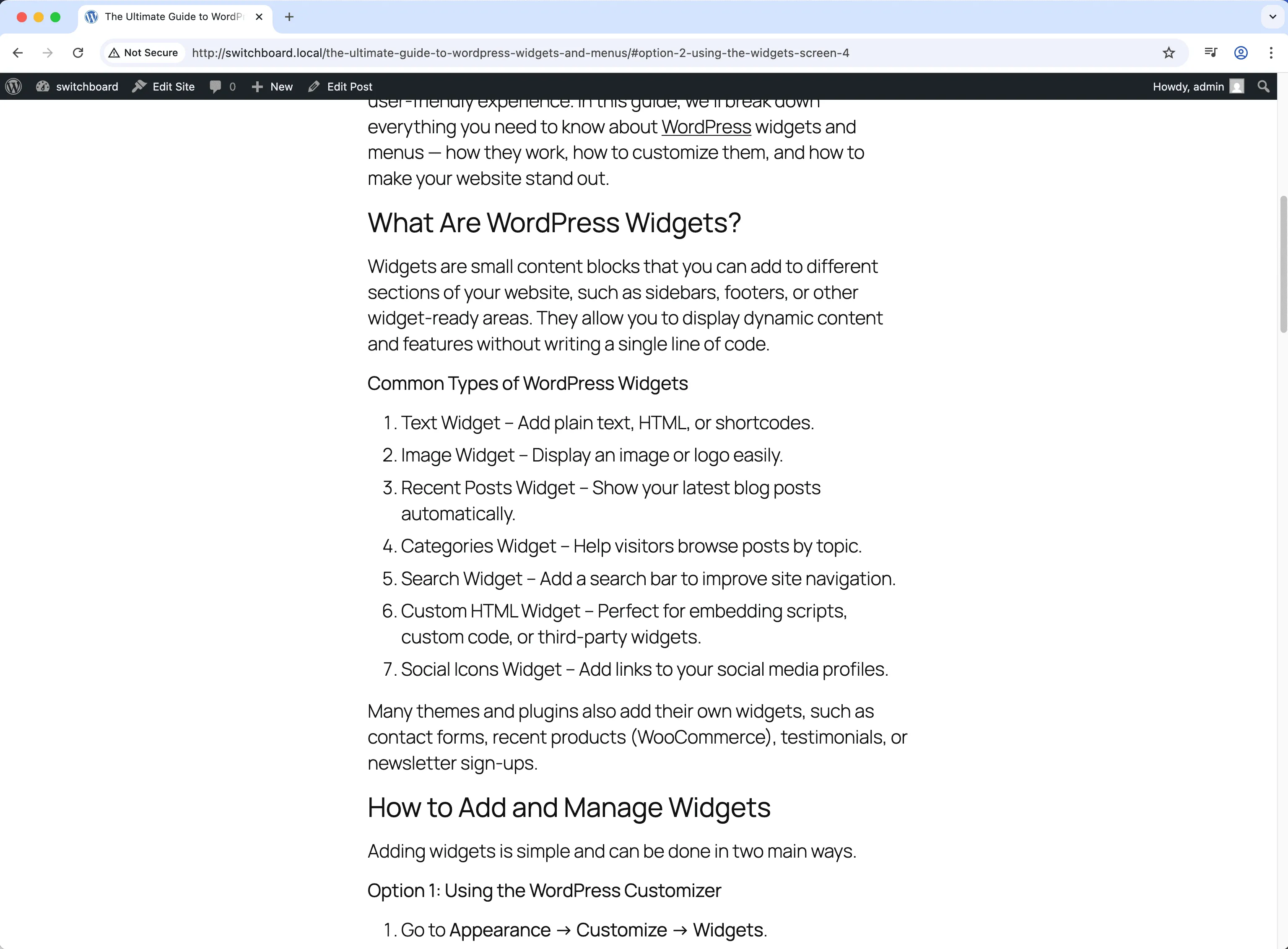
Table of Contents automatically generates navigation from post headings with anchor links. Long articles become easier to navigate as readers can jump to sections that interest them. Display before content or use shortcode for custom placement. Helps SEO by providing clear structure that search engines can use for featured snippets. Essential for long-form content, documentation, and tutorial sites.

Before
Before - Table of Contents module
Enlarge
After
After - Table of Contents module
Enlarge
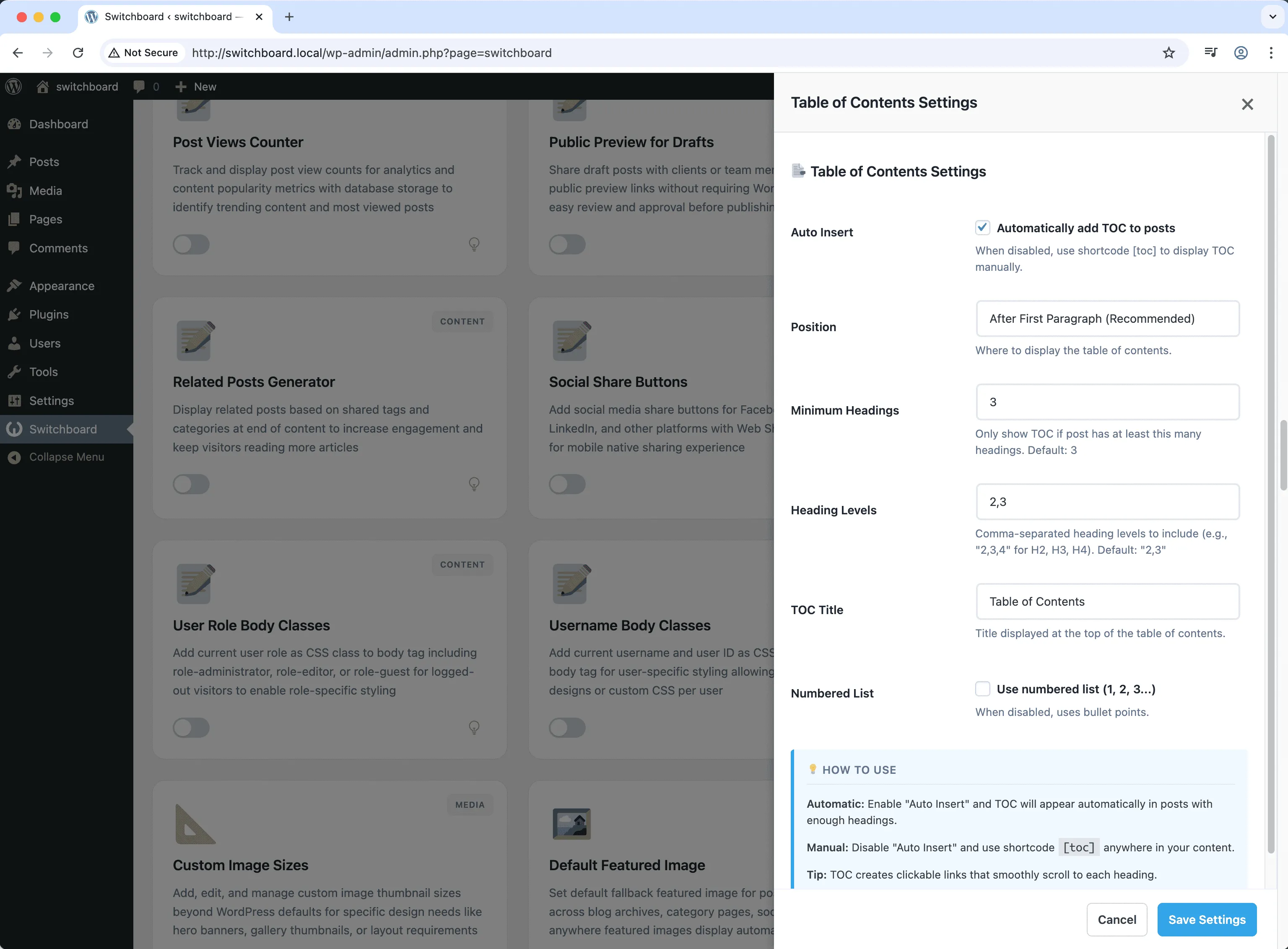
Settings
Settings - Table of Contents module
Enlarge

Swipe to see more →

toc table-of-contents navigation headings seo

Table of Contents Part of 165+ modules $349 $249

Get Lifetime Access

Key Features

Automatic TOC generation
Anchor link navigation
Customizable styling
SEO improvements

Why Use This Module?

  • Auto-generate from headings
  • Jump links to sections
  • Improves content navigation
  • SEO featured snippet potential
  • Customizable display

Real-World Use Cases

Long-Form Guide Navigation

Add clickable table of contents to 3000+ word tutorials so readers can jump to specific sections they need.

Documentation Pages

Create anchor-linked TOC on product documentation pages for easy navigation to specific features or troubleshooting steps.

SEO Jump Links

Generate structured table of contents for better Google search results with jump-to-section links in SERPs.

How to Use

Enable automatic TOC insertion or use the shortcode [toc] to display table of contents in your posts.

Benefits & Impact

Time Savings

Automates manual tasks and streamlines your workflow

Performance Boost

Enhances overall site functionality

Better UX

Improves content management and organization

Easy Maintenance

Simple setup with minimal ongoing maintenance

Frequently Asked Questions

Which headings are included?

Configure which heading levels to include. Typically H2 and H3, optionally H4.

Where does it display?

Automatically before content, or use shortcode for custom placement within content.

Does this help SEO?

Google may use TOC links for featured snippets. Clear structure helps search understanding.

What Users Are Saying

"Articles were hard to navigate. TOC lets readers jump to what they need."

— Long Form Blog

"Technical docs need navigation. Auto-generated TOC saves manual work."

— Documentation

"Students can jump to specific steps. Much better learning experience."

— Tutorial Site

Related Modules

CONTENT

Accessibility Widget

Add frontend accessibility widget with font size controls, contrast adjustments, and keyboard navigation improvements for WCAG compliance and better user experience

accessibility a11y widget +2
CONTENT

Auto Featured Image

Automatically set first image in post content as featured image if none is set to ensure all posts have featured images for better appearance and social sharing

featured-image automation images +2
CONTENT

Auto Publish Missed Schedule

Automatically publish posts that missed their scheduled publication time due to server issues, traffic spikes, or cron failures to ensure content goes live as planned

scheduling posts automation +2
WPSwitchboard

165+ Modules.
One Plugin. Done.

Security, admin tools, performance, SEO, and more. All in one place.

Get Lifetime Access - $349 $249
Core Modules
165+
Admin Tools, Security, Optimization, and more
Enhance your WordPress admin experience
Admin Tools
Dashboard Enhancements
Customize admin interface
Security & Performance
Optimization Modules
Secure & optimize your site