Admin Module

Custom Dashboard Welcome Panel

Custom Dashboard Welcome Panel replaces the default WordPress welcome panel with your own personalized content. Create a branded welcome message with quick links to frequently used features, instructions for your team, important announcements, or anything else users should see when they log in. The panel supports full HTML including images, videos, and custom styling. This transforms the dashboard from generic WordPress into a customized hub that helps users get started with their specific tasks immediately.

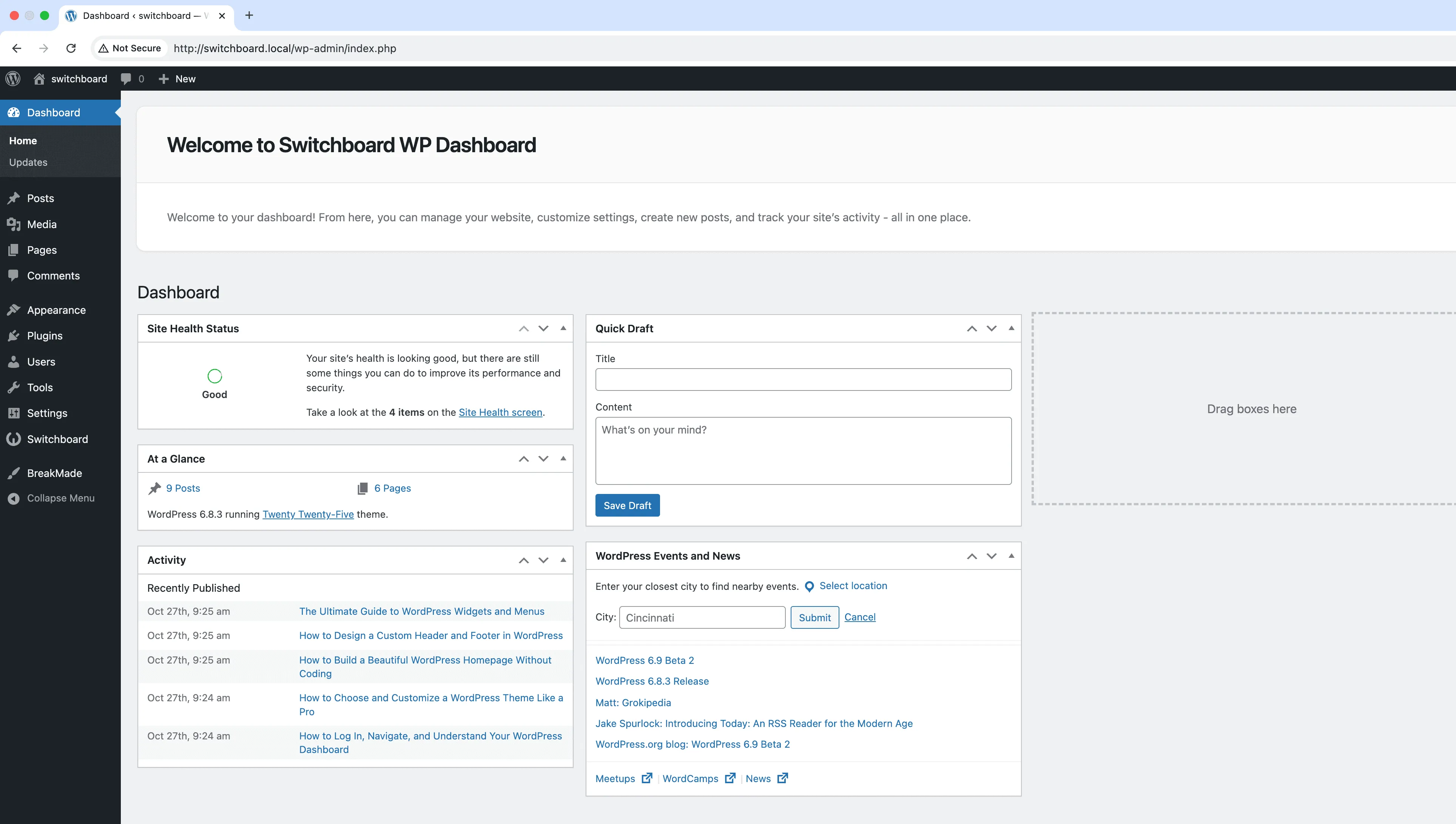
Before
Before - Custom Dashboard Welcome Panel module
Enlarge
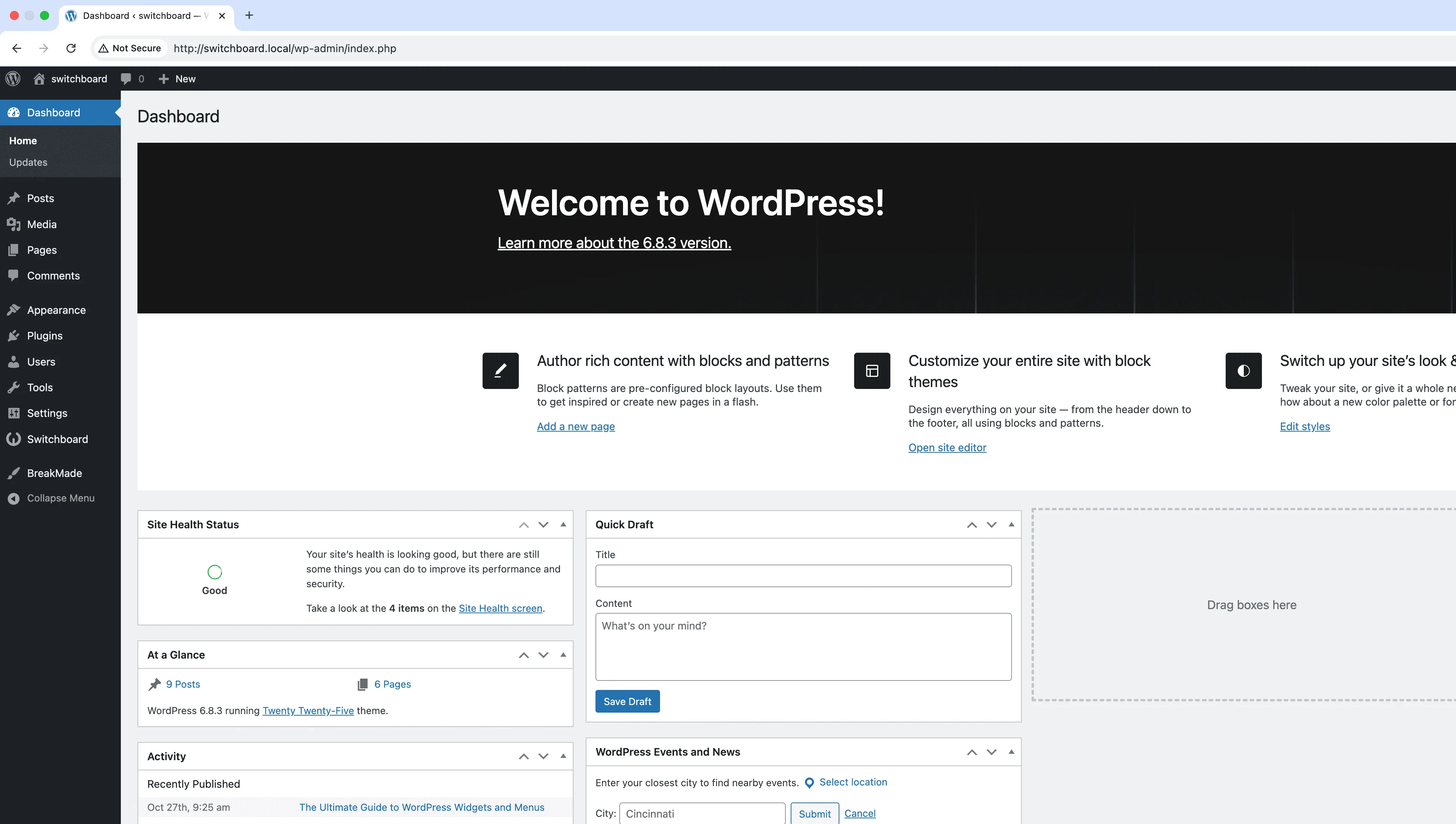
After
After - Custom Dashboard Welcome Panel module
Enlarge
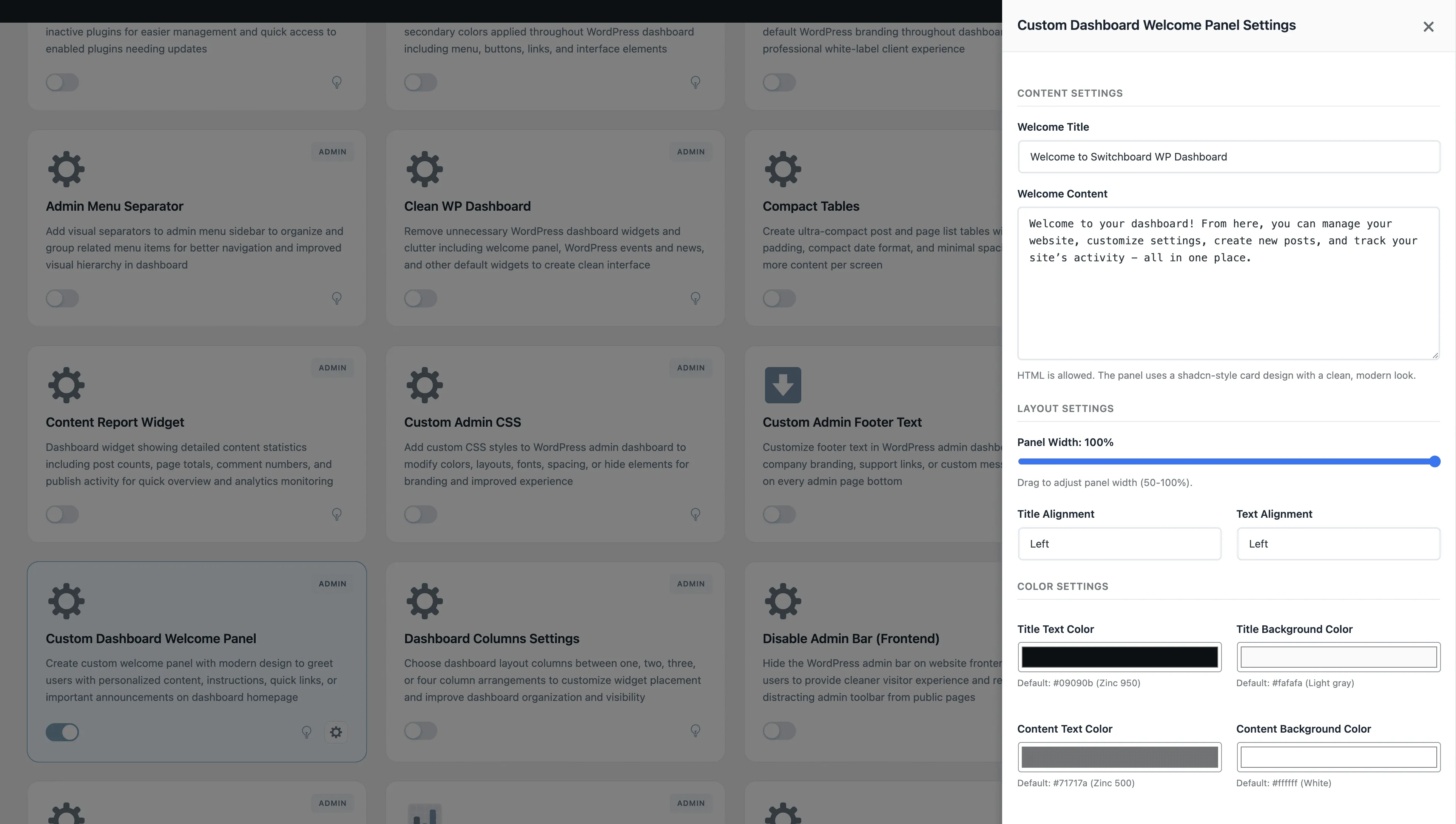
Settings
Settings - Custom Dashboard Welcome Panel module
Enlarge

Swipe to see more →

admin dashboard welcome panel customization

Custom Dashboard Welcome Panel Part of 165+ modules $349 $249

Get Lifetime Access

Key Features

Custom welcome panel content
HTML support for rich content
Personalized dashboard experience

Why Use This Module?

  • Replace generic WordPress welcome with branded content
  • Add quick links to frequently used admin pages
  • Include instructions or announcements for your team
  • Full HTML support for rich content
  • Improve onboarding for new users

Real-World Use Cases

Client Onboarding

Create custom welcome panel with video tutorials, quick links to documentation, and step-by-step guide for new website owners.

Team Guidelines

Display editorial guidelines, brand voice reminders, and content approval workflow for multi-author publishing teams.

Important Announcements

Show scheduled maintenance notices, new feature announcements, or critical site updates that all admin users need to see.

How to Use

Input your custom title and content (HTML supported) in the module settings. This will replace the default WordPress welcome panel.

Benefits & Impact

Time Savings

Automates manual tasks and streamlines your workflow

Performance Boost

Streamlines admin workflow and efficiency

Better UX

Provides a better user experience

Easy Maintenance

Simple setup with minimal ongoing maintenance

Frequently Asked Questions

Can I include images and videos?

Yes, the welcome panel supports full HTML including images, embedded videos, and custom styling.

Can different user roles see different welcome panels?

The module provides one welcome panel for all users. For role-based content, you would need conditional logic in your HTML.

Will this appear for all users?

The welcome panel appears for users who have not dismissed it. Users can close it like the default panel, and it reappears on next login.

What Users Are Saying

"Made a welcome panel with quick links to tasks clients do most. They stopped emailing me asking how to add posts."

— Client Website

"Added instructions for teachers right on the dashboard. No more PDF guides they never read."

— School Website

"Each location manager sees relevant info when they log in. Training docs, contact info, the works."

— Franchise Business

Related Modules

ADMIN

Display Active Plugins First

Show active plugins at the top of plugins list separated from inactive plugins for easier management and quick access to enabled plugins needing updates

plugins admin sorting +2
ADMIN

Admin Color Schemes

Create custom admin color schemes with primary and secondary colors applied throughout WordPress dashboard including menu, buttons, links, and interface elements

admin colors themes +2
ADMIN

Admin Columns Manager

Manage, reorder, hide, and customize admin list table columns for all post types with drag-and-drop interface and custom fields support for developers

admin columns tables +2
WPSwitchboard

165+ Modules.
One Plugin. Done.

Security, admin tools, performance, SEO, and more. All in one place.

Get Lifetime Access - $349 $249
Core Modules
165+
Admin Tools, Security, Optimization, and more
Enhance your WordPress admin experience
Admin Tools
Dashboard Enhancements
Customize admin interface
Security & Performance
Optimization Modules
Secure & optimize your site