Admin Module

Custom Admin CSS

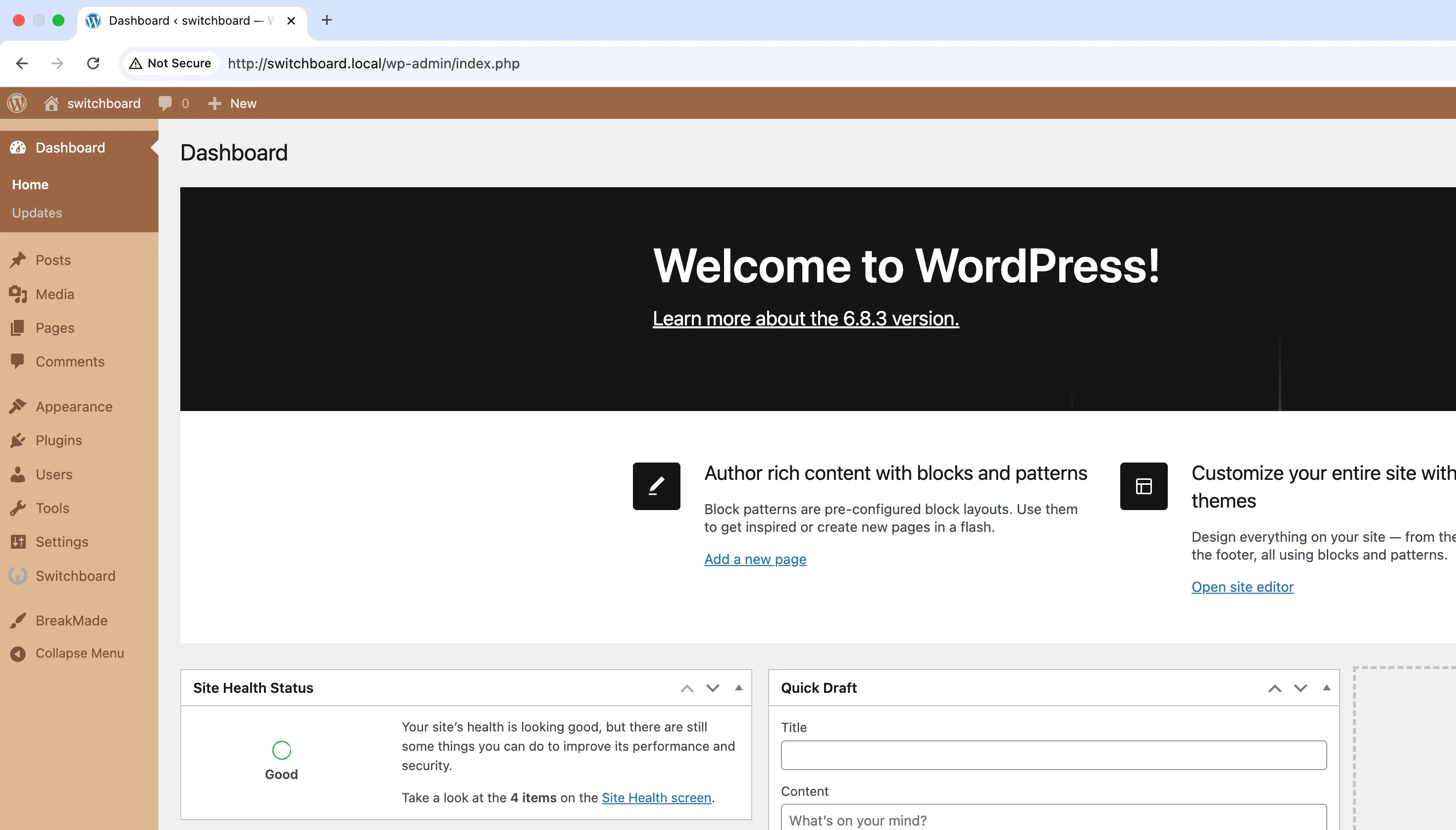
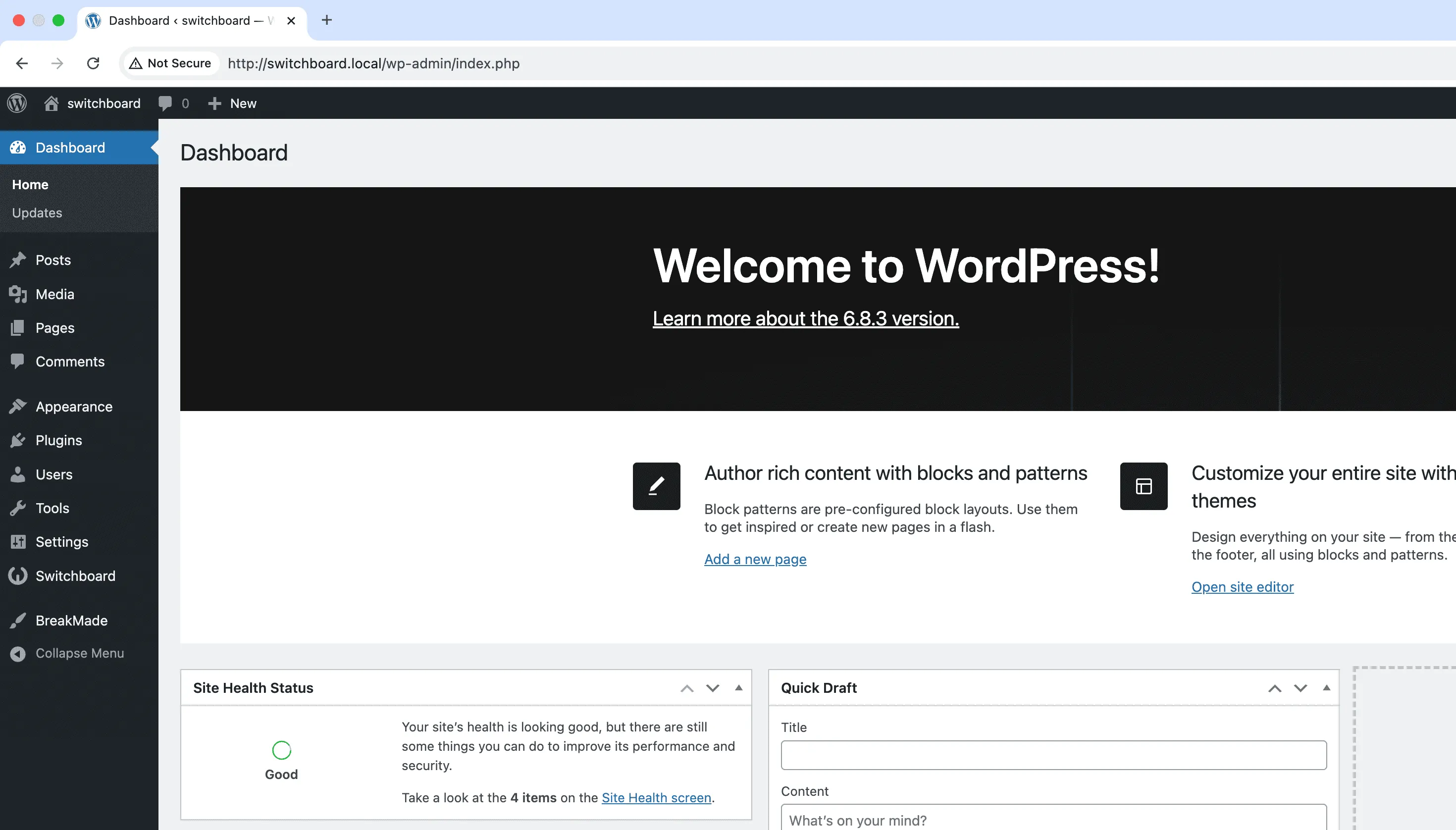
Custom Admin CSS lets you add your own CSS styles to the WordPress admin dashboard. Modify colors, adjust layouts, change fonts, hide elements, or fix plugin styling issues without editing core files. The CSS editor includes syntax highlighting and applies styles across all admin pages. This is useful for branding the admin area, improving accessibility with larger fonts, hiding confusing elements from clients, or fixing visual issues with plugin interfaces. Changes persist through WordPress updates since styles are stored in the database.

Before
Before - Custom Admin CSS module
Enlarge
After
After - Custom Admin CSS module
Enlarge
admin css styling customization design

Custom Admin CSS Part of 165+ modules $349 $249

Get Lifetime Access

Key Features

Custom CSS injection into admin
Full admin area customization
Real-time styling changes

Why Use This Module?

  • Customize admin appearance without editing core files
  • Brand the dashboard with custom colors and fonts
  • Hide confusing elements from non-technical users
  • Fix visual issues with plugin interfaces
  • Styles persist through WordPress updates

Real-World Use Cases

Accessibility Improvements

Increase font sizes, adjust contrast ratios, and modify spacing for team members with visual impairments.

Brand-Matched Admin

Apply client's brand fonts, colors, and styling throughout the admin area for fully white-labeled WordPress experience.

Fix Plugin UI Issues

Override poorly-styled third-party plugin admin interfaces that clash with your workflow or have usability problems.

How to Use

Input your custom CSS code in the module settings. The CSS will be applied to the entire WordPress admin area.

Benefits & Impact

Time Savings

Automates manual tasks and streamlines your workflow

Performance Boost

Streamlines admin workflow and efficiency

Better UX

Provides a better user experience

Easy Maintenance

Simple setup with minimal ongoing maintenance

Frequently Asked Questions

Will my CSS survive WordPress updates?

Yes, custom CSS is stored in the database and applies after WordPress loads. Core updates do not affect your customizations.

Can I target specific admin pages?

Yes, WordPress adds body classes for each admin page. You can use these to target styles to specific screens like the post editor or plugins page.

What if my CSS breaks the admin?

Worst case, you can access the database directly to remove the CSS, or use wp-cli. The module also supports a recovery mode if styles cause issues.

What Users Are Saying

"Fixed some ugly plugin styling that was bothering me. Quick CSS injection without editing files."

— Theme Developer

"We had specific accessibility requirements. Custom CSS let us bump up font sizes across the admin."

— Enterprise Site

"Sometimes a plugin admin UI is just bad. Nice to be able to tweak it myself."

— Freelancer

Related Modules

ADMIN

Display Active Plugins First

Show active plugins at the top of plugins list separated from inactive plugins for easier management and quick access to enabled plugins needing updates

plugins admin sorting +2
ADMIN

Admin Color Schemes

Create custom admin color schemes with primary and secondary colors applied throughout WordPress dashboard including menu, buttons, links, and interface elements

admin colors themes +2
ADMIN

Admin Columns Manager

Manage, reorder, hide, and customize admin list table columns for all post types with drag-and-drop interface and custom fields support for developers

admin columns tables +2
WPSwitchboard

165+ Modules.
One Plugin. Done.

Security, admin tools, performance, SEO, and more. All in one place.

Get Lifetime Access - $349 $249
Core Modules
165+
Admin Tools, Security, Optimization, and more
Enhance your WordPress admin experience
Admin Tools
Dashboard Enhancements
Customize admin interface
Security & Performance
Optimization Modules
Secure & optimize your site